Restaurant application development runs in seven phases: menu and POS audit, feature scope, UX design, build and integrations, peak-hour testing, launch, and post-launch adoption. The phase that decides success is the first one, because a messy menu breaks every screen built on top of it.
TL;DR
Start with data, not design. Clean menu data and a working POS connection come before any screen gets drawn.
Pick your build path early. Aggregators, white label apps, and custom builds each suit a different kind of restaurant.
Test for the rush. An app that works at 3 pm can still fail at 7:30 pm on a Friday.
Treat launch day as an operation. Staff training and a soft launch matter as much as store approval.
Adoption is the real finish line. Restaurant app development pays back only when diners reorder through your own channel.
Why Do Restaurant Apps Fail Before Anyone Places an Order?
Here is a question: has a restaurant ever handed you a menu file that was clean, current, and identical across every location?
Me neither. Here is why.
Menus live in too many places at once: the POS, a PDF, the delivery platforms, and the manager’s memory.
In the builds I have worked on, the first surprise is rarely technical. It is finding three different prices for the same burger.
That is why this guide starts with data. Screens are the easy part.
The Restaurant App Development Process at a Glance
The full process takes seven phases, and each one has a job for the owner as well as the build team.
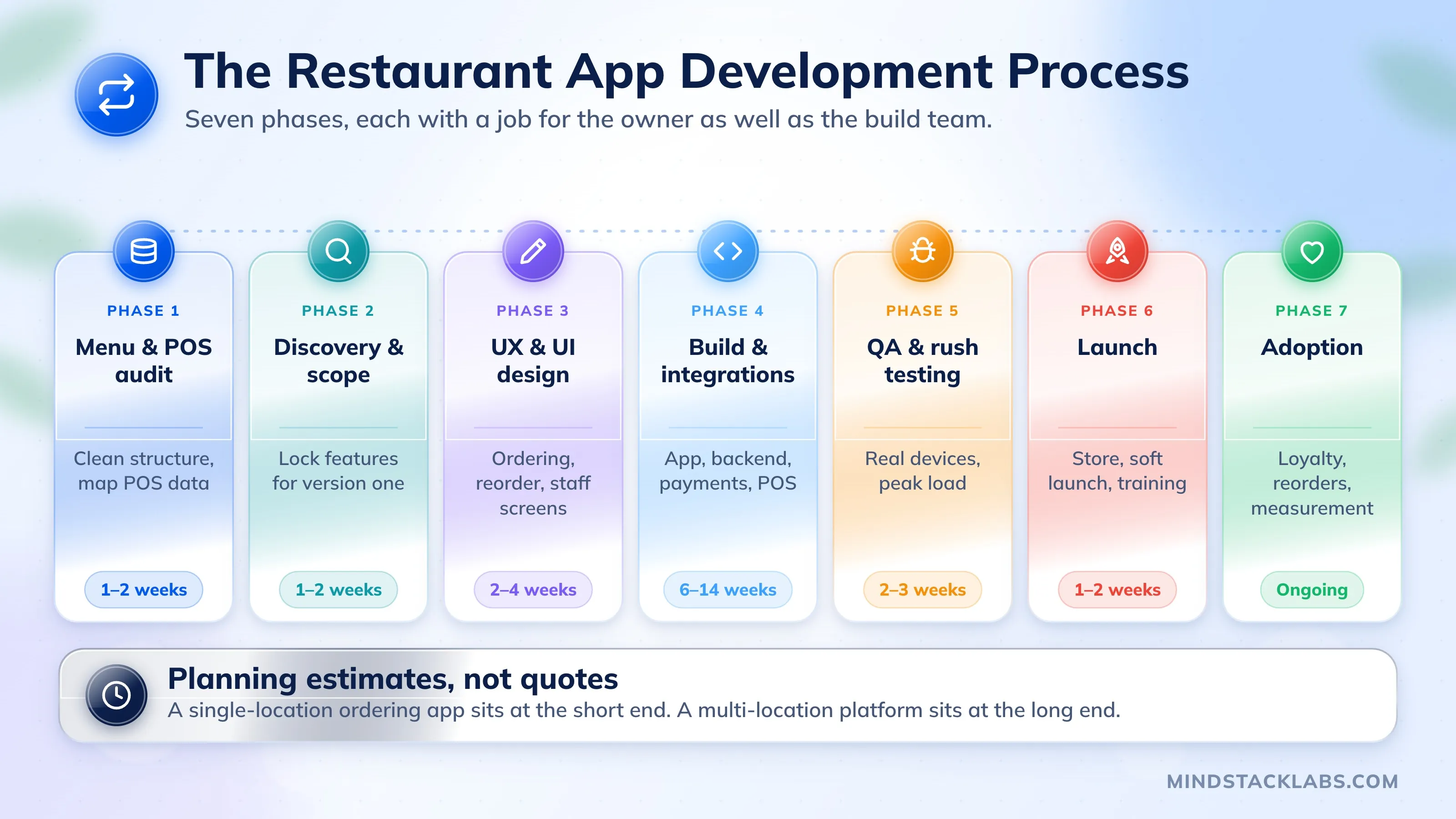
# | Phase | What happens | Owner homework | Planning estimate |
|---|---|---|---|---|
1 | Menu and POS audit | Clean menu structure, map POS data | Menu export, POS access, location list | 1 to 2 weeks |
2 | Discovery and scope | Lock features for version one | Rank features, share order data | 1 to 2 weeks |
3 | UX and UI design | Ordering, reorder, and staff screens | Brand assets, food photos | 2 to 4 weeks |
4 | Build and integrations | App, backend, payments, POS sync | Payment and delivery accounts | 6 to 14 weeks |
5 | QA and rush testing | Real devices, peak load, failure cases | Staff for test orders | 2 to 3 weeks |
6 | Launch | Store submission, soft launch, training | Staff schedule, launch offer | 1 to 2 weeks |
7 | Adoption | Loyalty, reorders, measurement | Promote the app in store | Ongoing |
These are planning estimates, not quotes. A single-location ordering app sits at the short end. A multi-location platform with loyalty and delivery sits at the long end.
Do You Need a Custom Restaurant App at All?
Not every restaurant needs a custom app, and the honest answer depends on how many orders you take and who should own the customer.
Before choosing, I evaluate on four criteria:
Data ownership: who keeps the customer list and order history
Per-order cost: what each order costs once the app is live
Control: how much you can change menus, offers, and flows
Fit: whether it matches your POS and kitchen workflow

Option | Upfront cost | Ongoing cost | Data ownership | Customisation | Best for |
|---|---|---|---|---|---|
Aggregator listing | None | Commission per order | Platform keeps it | Very low | New restaurants testing demand |
App builder | Low | Monthly subscription | Partial | Low to medium | Single locations on a tight budget |
White label app | Low to medium | License plus fees | Usually yours, check terms | Medium | Small chains wanting a fast branded app |
Custom app | Highest | Hosting and maintenance | Fully yours | Full | Multi-location brands and high repeat volume |
When an Aggregator Listing Is Enough
If you are still finding your audience, an aggregator brings discovery you cannot buy cheaply elsewhere. Keep it as a channel, not as your only channel.
When a White Label App or Builder Fits
A white label app fits when speed matters more than uniqueness. Read the contract for two things: who owns the data, and whether you can export it if you leave.
When a Custom App Pays Back
A custom app pays back when repeat customers drive most of your revenue. Every reorder that moves from an aggregator to your own app keeps the commission in your business.
→ High repeat orders + multiple locations = custom build worth scoping
Phase 1: How Do You Prepare Menu Data and Audit Your POS?
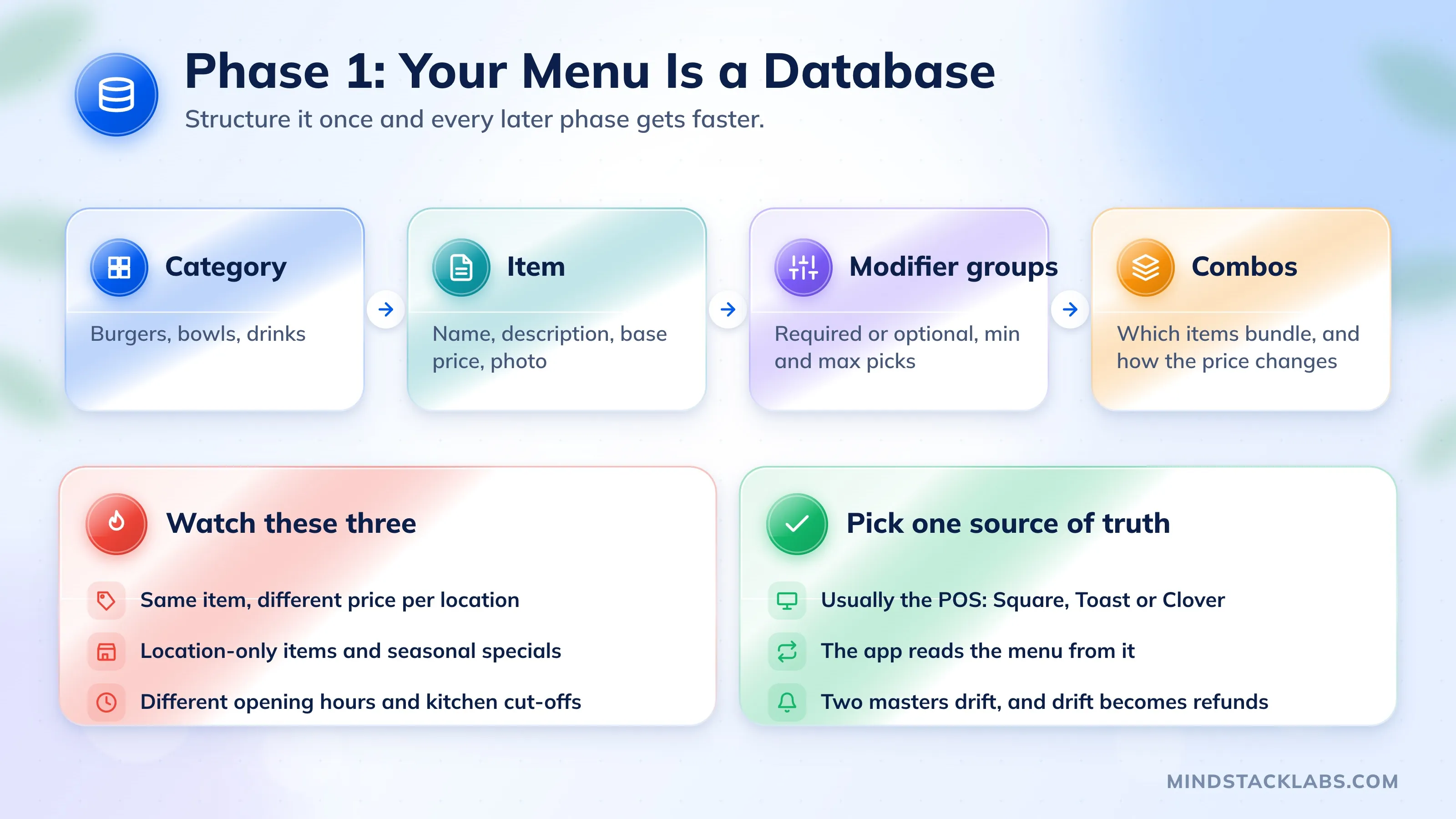
Your menu is a database, not a document. Structure it properly once and every later phase gets faster.
Structuring Categories, Modifiers and Combos
Most ordering bugs trace back to modifiers. "Add cheese" sounds simple until it costs extra on one item, is free on another, and is unavailable on a third.
Map each item into a clear structure:
Category: burgers, bowls, drinks
Item: name, description, base price, photo
Modifier groups: required or optional, minimum and maximum picks
Combos: which items bundle, and how the price changes
Availability, 86’d Items and Multi-Location Pricing
Items run out mid-service, and the app needs to know within minutes. Decide early how an item gets marked unavailable and who does it.
Multi-location brands face a second layer:
Same item, different price per location
Location-only items or seasonal specials
Different opening hours and kitchen cut-off times
POS Sync: Pick One Source of Truth
Pick one system as the master menu. Usually that is the POS (Square, Toast, Clover, or similar), and the app reads from it.
When the app and POS both hold menus, they drift apart, and drift becomes refunds.
Pro tip: Export your full menu with every modifier before the first discovery call. It exposes more scope questions in an hour than a week of meetings.
Owner Homework for Phase 1
Full menu export, including modifiers and prices
POS name, version, and admin access
List of locations, hours, and per-location differences
Phase 2: Which Features Should Your Restaurant App Include First?
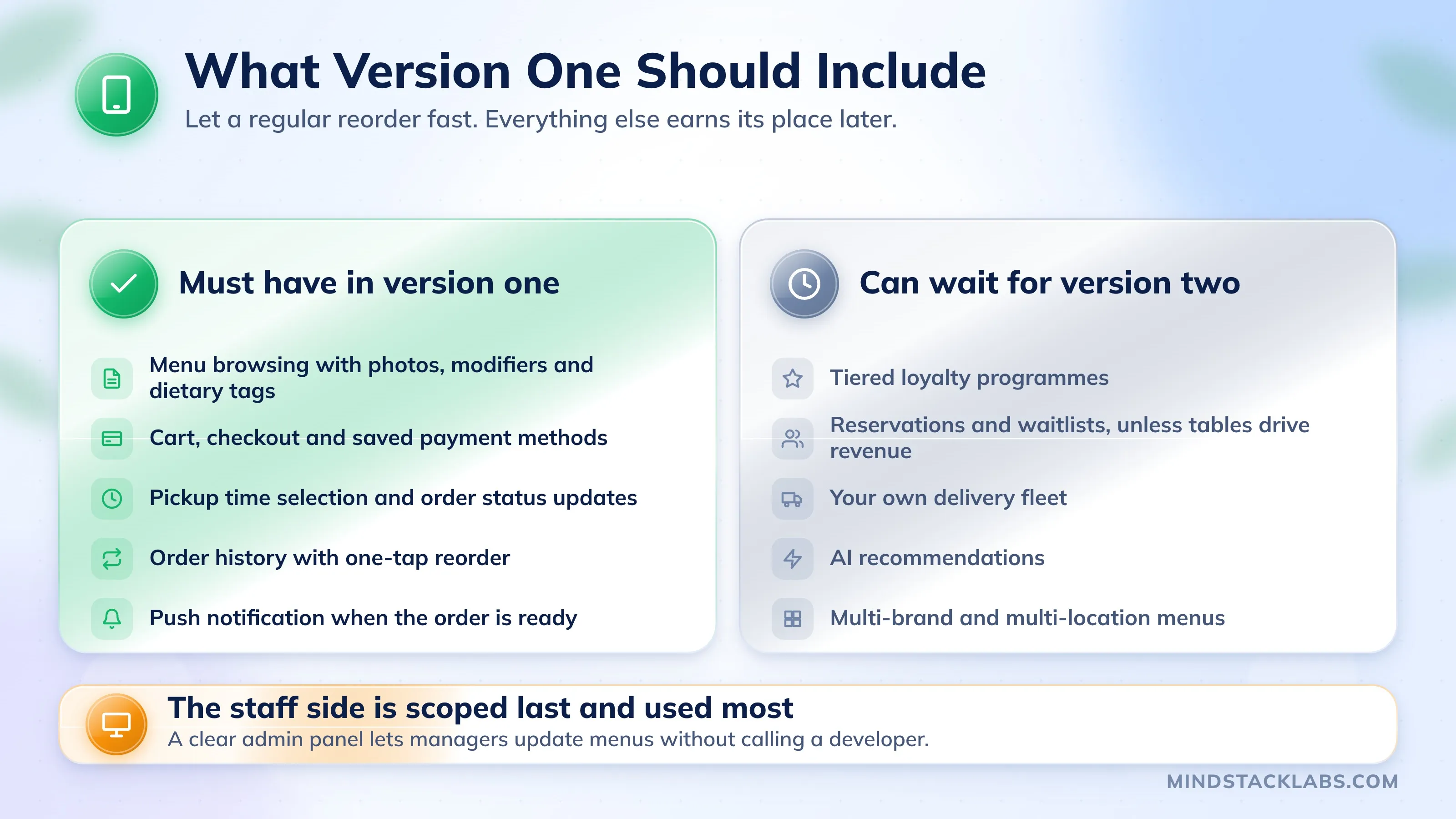
Version one should do one job brilliantly: let a regular customer reorder fast. Everything else earns its place later.
Must-Have Features for Online Ordering and Pickup
Menu browsing with photos, modifiers, and dietary tags
Cart, checkout, and saved payment methods
Pickup time selection and order status updates
Order history with one-tap reorder
Push notifications for order ready
Reservation and Table Management Features
Reservations matter for dine-in restaurants. Add them only if tables, not takeaway, drive your revenue.
Party size, time slots, and table capacity rules
Confirmation and reminder messages
Waitlist for walk-ins
Loyalty, Push Notifications and Repeat Orders
Loyalty is what turns an app into a habit. Start with a simple points or visit-based reward before building tiers.
Admin Panel and Kitchen Display
The staff side is often scoped last and used most. A clear admin panel lets managers update menus, mark items unavailable, and see orders without calling a developer.
Feature Priority by Restaurant Type
Restaurant type | Must-have in version one | Can wait |
|---|---|---|
Independent cafe | Ordering, pickup, reorder | Reservations, tiers of loyalty |
Multi-location chain | Location picker, per-location menus, admin | AI recommendations |
Cloud kitchen | Multi-brand menus, delivery integration | Dine-in features |
Hotel F&B | Room or table ordering, billing to room | Public delivery |
If delivery is central to your model, our food delivery app development page covers that build in depth.
Phase 3: How Should Restaurant App UX Work for Diners and Staff?
Good restaurant UX gets a hungry person from craving to confirmed order in as few taps as possible. Staff screens follow the same rule, under more pressure.
Design a Three-Tap Reorder
Regulars do not browse. They want "the usual."
Show last orders on the home screen
Let users reorder with saved modifiers and payment
Confirm pickup time in one step
Menu Photos, Dietary Tags and Allergen Labels
Photos sell, and labels prevent problems. Tag vegetarian, vegan, gluten-free, and common allergens clearly, and keep the wording consistent with your printed menu.
Staff Screens Built for Busy Hands
Kitchen and counter staff use screens with wet hands, during a rush, often while talking to someone.
Large buttons and high contrast
New orders that are impossible to miss
One-tap "mark ready" and "item unavailable"
A pretty dashboard nobody can use at 8 pm is just modern art, and kitchens do not hang art.
Phase 4: What Tech Stack and Integrations Does a Restaurant App Need?
The stack matters less than the integrations. Payments, POS, and delivery connections are where most build time goes.
Cross-Platform or Native
Most restaurant ordering apps do not need separate iOS and Android codebases. A cross-platform framework like Flutter ships both from one codebase, which keeps updates cheaper.
Native makes sense for heavy hardware integration. For the full trade-off, read Flutter vs React Native vs Native.
Payment Gateway Selection and PCI Scope
Use a hosted or tokenised payment flow so card data never touches your servers. This keeps your PCI scope small.
The PCI Security Standards Council sets the rules. Its PCI DSS v4.0 requirements that had been future-dated became mandatory in March 2025.
Choosing a provider? Our guide on whether you should build a payment gateway explains why most restaurants should not.
Delivery Integrations and Order Consolidation
Orders arrive from your app, aggregators, phone, and walk-ins. Without consolidation, staff juggle tablets.
Route every channel into one order queue
Use on-demand delivery services (for example, DoorDash Drive) to dispatch drivers without running a fleet
For live tracking logic, see on-demand dispatch and tracking
Backend, Admin and Analytics
Component | Common options | What to check |
|---|---|---|
Mobile app | Flutter, React Native, native | One codebase or two |
Backend | Node.js, Firebase, Supabase | Real-time order updates |
POS sync | Square, Toast, Clover APIs | Menu and order direction of sync |
Payments | Hosted checkout, tokenised cards | PCI scope stays minimal |
Delivery | Aggregator APIs, on-demand delivery | Single order queue |
Analytics | Event tracking, dashboards | Reorder rate, average order value |
Phase 5: How Do You Test a Restaurant App for Peak-Hour Rush?
Test for Friday at 7:30 pm, not Tuesday at 3 pm. Normal traffic hides the bugs that peak traffic exposes.
This is hard.
It is not impossible. You just simulate the rush before diners create it.
Test Real Ordering Flows on Real Devices
Old and new phones, iOS and Android
Weak mobile signal inside the restaurant
Every modifier combination on best-selling items
Simulate a Dinner Rush
Run load tests that mimic many customers ordering at once. Watch three things: checkout speed, order arrival in the kitchen, and POS sync delay.
Plan for Payment Failures and Offline Moments
Payments will occasionally fail. The app must never charge twice or lose an order.
Clear retry messages for diners
Order state saved before payment completes
Staff alerts when the POS connection drops
For secure handling across the backend, the API security checklist for startups is a useful companion.
Phase 6: What Happens on Restaurant App Launch Day?
Launch day is an operations event, not a software event. The app is only ready when staff are ready.
App Store and Google Play Submission
Leave review time in the plan. Apple reviews every app against its App Store Review Guidelines.
Google Play enforces target API levels for new apps. Since August 2025, new submissions must target a recent Android version, per its target API requirements.
Staff Training and Soft Launch
Run a soft launch with regulars or staff families for a few days. Real orders reveal workflow gaps that test orders miss.
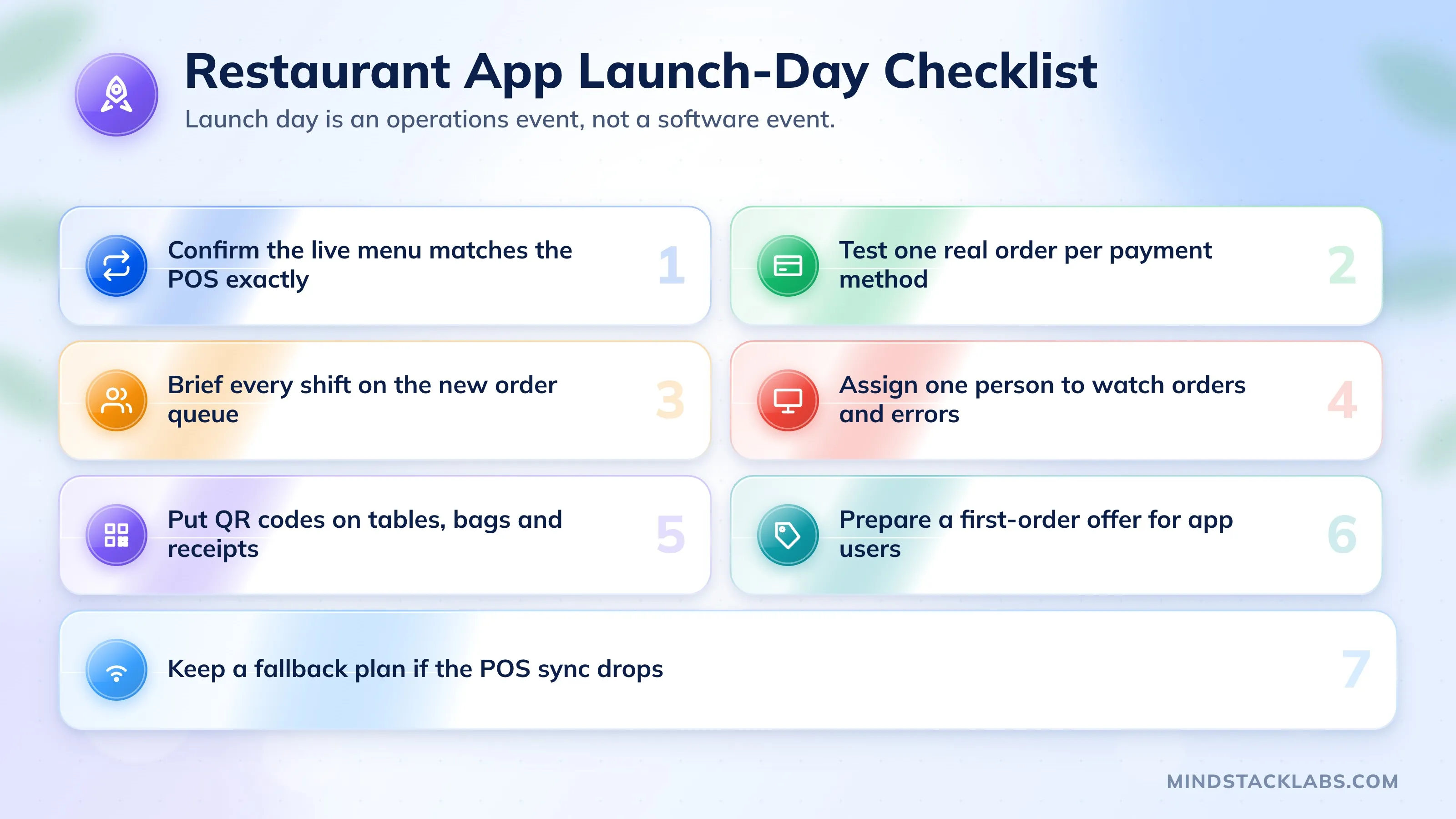
Launch-Day Checklist
Confirm the live menu matches the POS exactly
Test one real order per payment method
Brief every shift on the new order queue
Assign one person to watch incoming orders and errors
Put QR codes on tables, bags, and receipts
Prepare a first-order offer for app users
Keep a fallback plan if the POS sync drops
Phase 7: How Do You Get Customers to Use Your Restaurant App After Launch?
An app nobody opens is an expensive icon. Adoption needs a plan as deliberate as the build.
Move Aggregator Customers to Your Own App
Insert a card with a QR code and app-only offer in every delivery bag
Reward the first in-app order
Remind regulars in person at pickup
Wait, You Might Be Thinking: "Won’t I Lose Aggregator Customers?"
You will not lose them; you will gain a second channel. Keep aggregators for discovery and use your own app for repeat orders. Over time, your most loyal customers tend to move where the rewards are.
App Store Optimisation for Restaurant Apps
Use your restaurant name plus city in the app title
Show food, not interface, in screenshots
Ask happy regulars for reviews after a successful order
Metrics to Track in the First 90 Days
Metric | Why it matters |
|---|---|
Reorder rate | Shows whether the app became a habit |
Share of orders through the app | Measures channel shift from aggregators |
Average order value | Reveals upsell and modifier performance |
Checkout drop-off | Pinpoints friction in the flow |
For measuring what drives performance, see the restaurant analytics and performance insights case study.
Restaurant App Development Cost and Timeline: What Drives the Number?
Restaurant app development cost is driven by integrations and locations, not by screen count. Two apps that look identical can differ widely in price because of what sits behind them.
Scope | Planning estimate | Main cost drivers |
|---|---|---|
Ordering MVP, one location | About 3 months | POS sync, payments, pickup flow |
Ordering plus loyalty | About 3 to 5 months | Rewards logic, push campaigns, admin |
Multi-location platform | About 5 to 8 months | Per-location menus, delivery, analytics |
Factors that move the budget most:
POS integration depth: read-only menus are cheaper than two-way order sync
Number of locations: each adds pricing, hours, and menu variations
Delivery model: your own drivers cost far more to build than a delivery partner
Staff tools: a kitchen display adds a whole second interface
Pro tip: Ask every vendor whether their quote includes two-way POS sync. That single line tends to explain most of the gap between quotes.
How Do You Keep Customer Data and Payments Secure?
Protect payment data by never storing it, and protect customer data by collecting only what you use.
Payments: tokenised or hosted checkout so raw card numbers never reach your servers
Customer data: clear consent for marketing messages and easy account deletion
Access control: staff see only what their role needs
Ownership: your contract should state that you own the code, data, and app store accounts
For how this works in practice, read how modern applications protect user data.
Which Build Path Fits Your Restaurant?
Match your priority to a path:
If you are testing a new concept, go with an aggregator listing first.
If you run one location on a tight budget, go with an app builder or white label app.
If repeat customers drive your revenue, go with a custom ordering MVP.
If you run multiple locations or brands, go with a custom platform with per-location menus.
If delivery is your core model, go with a custom build plus a delivery partner integration.
What Shipped Restaurant Builds Teach About the Process
Real builds show the same lesson repeatedly: data and operations shape the product more than features do.
What’s 4 Dinner: a restaurant deal platform with an admin side. Deal timing and pricing rules shaped the build. See the dynamic deal pricing case study.
Foodly: food ordering paired with restaurant management, where the ordering and operations views had to agree.
DineAssist AI: an AI-assisted dining experience, built on the same clean menu data every other feature depends on.
How to Choose a Restaurant Application Development Company
Choose a partner who asks about your menu and POS before talking about screens. That question alone separates experienced teams from template shops.
Check for these signals:
Shipped restaurant or food apps you can download
Direct experience with your POS system
A plan for peak-hour load testing
Written code, data, and store account ownership
Post-launch support terms
A clear version-one scope with a won’t-have list
Comparing vendors? Our shortlist of the best restaurant app development companies applies these criteria. You can also see how a restaurant app development company approaches these builds.
Restaurant Application Development FAQs
How long does restaurant app development take?
A single-location ordering MVP usually takes about three months as a planning estimate. Multi-location platforms with loyalty and delivery take longer, often five months or more.
How much does restaurant app development cost?
Cost depends mostly on POS integration, number of locations, and delivery model. Get quotes that list these items separately so you can compare them fairly.
Custom restaurant app vs white label: which is better?
White label is better for speed and a lower upfront cost. Custom is better when you want full data ownership, unique features, and lower long-term costs on high repeat volume.
Can a restaurant app integrate with my existing POS?
Yes, most modern POS systems like Square, Toast, and Clover offer APIs. Confirm whether your setup supports two-way sync for both menus and orders.
How do I get customers to order through my app instead of DoorDash?
Give app users a reason to switch, such as loyalty points or app-only offers. Promote the app in every bag, receipt, and pickup conversation.
Where Should You Start?
Start with a menu and POS audit, then launch an ordering MVP. Add loyalty once regulars are reordering through the app.
Choose a full multi-location platform only after the MVP proves demand. If you want a second pair of eyes on your menu data or scope, you can request a scoping call. Have a question about your own build? Leave it in the comments.