Case Study
Mobile

Pocket Guardian

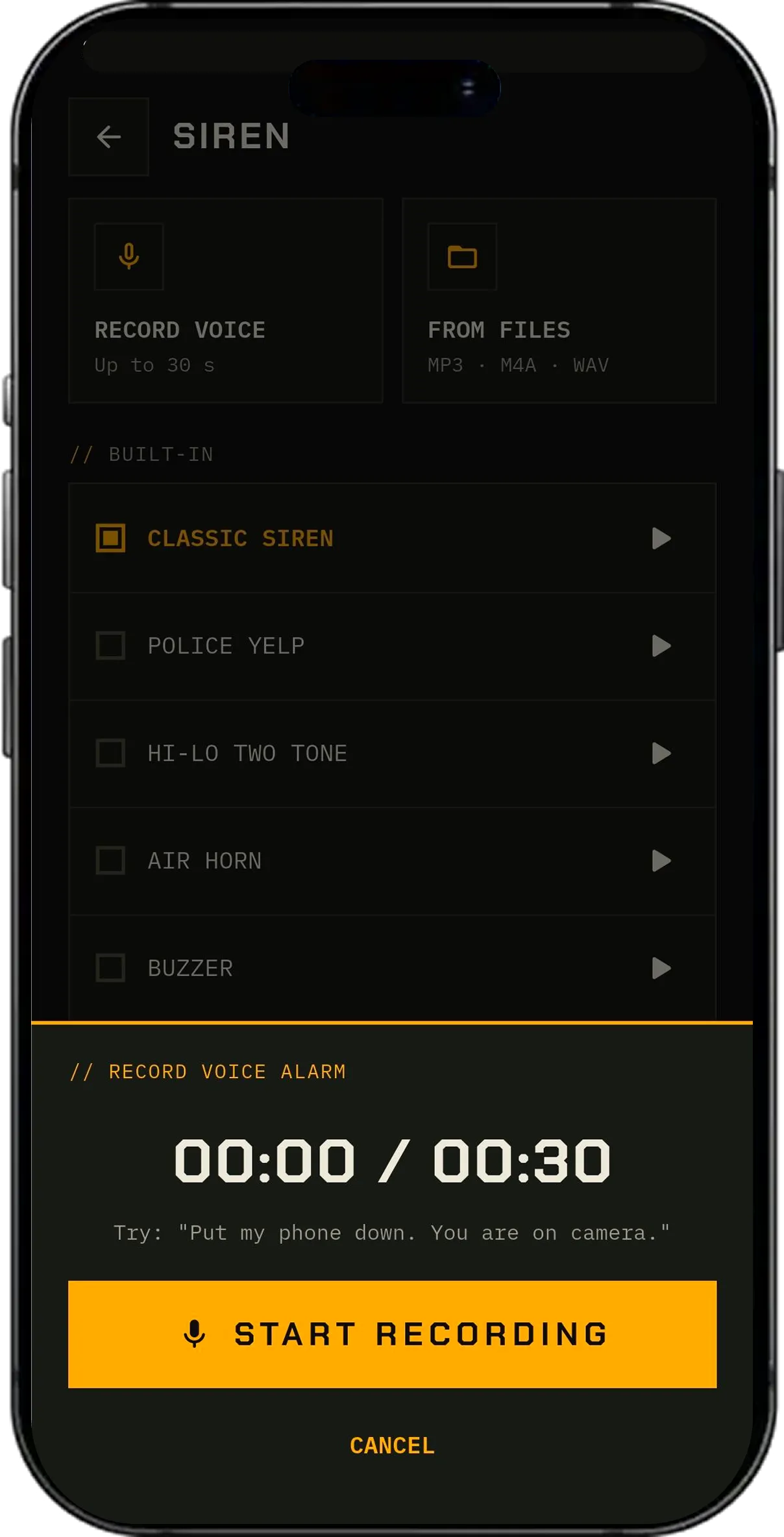
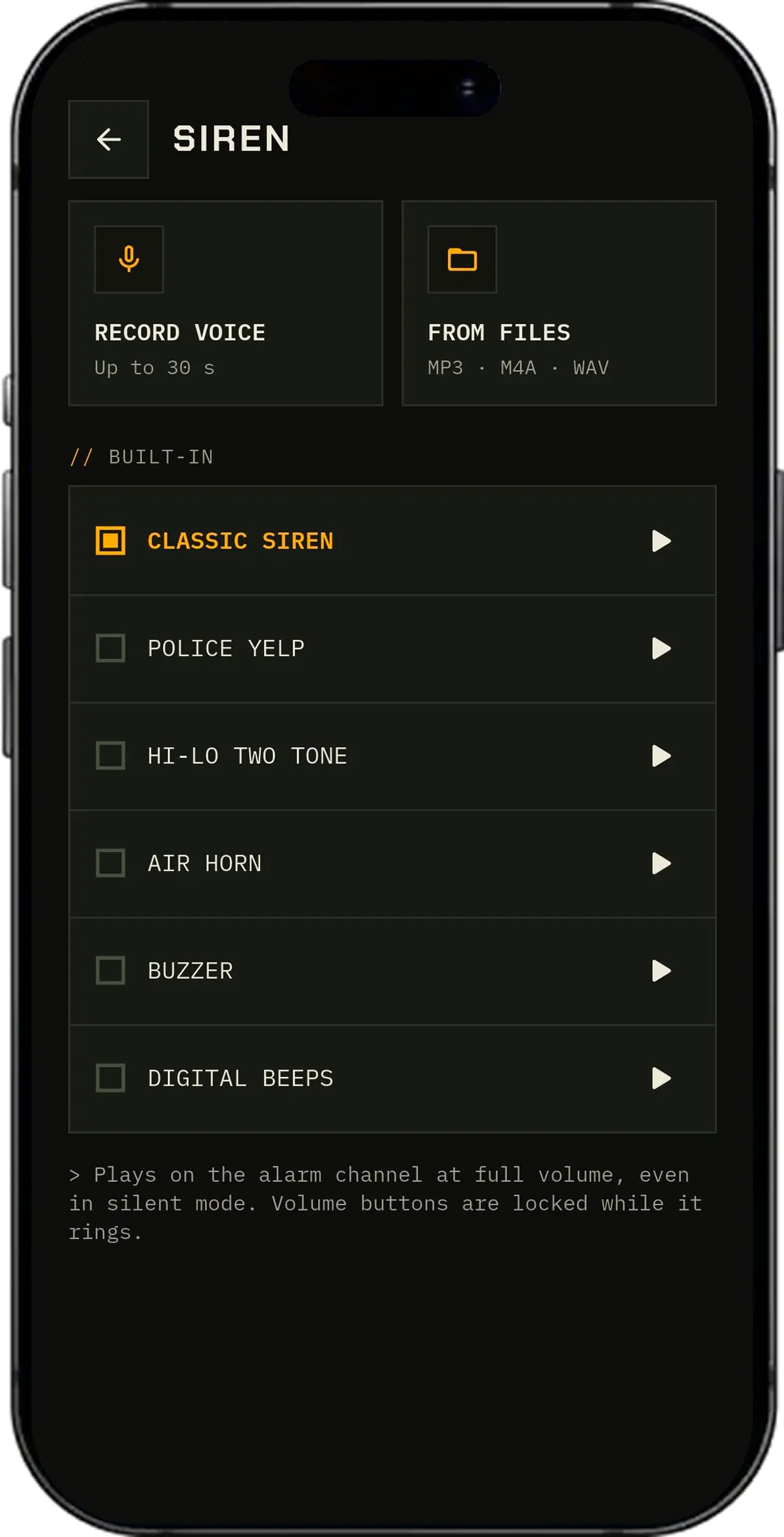
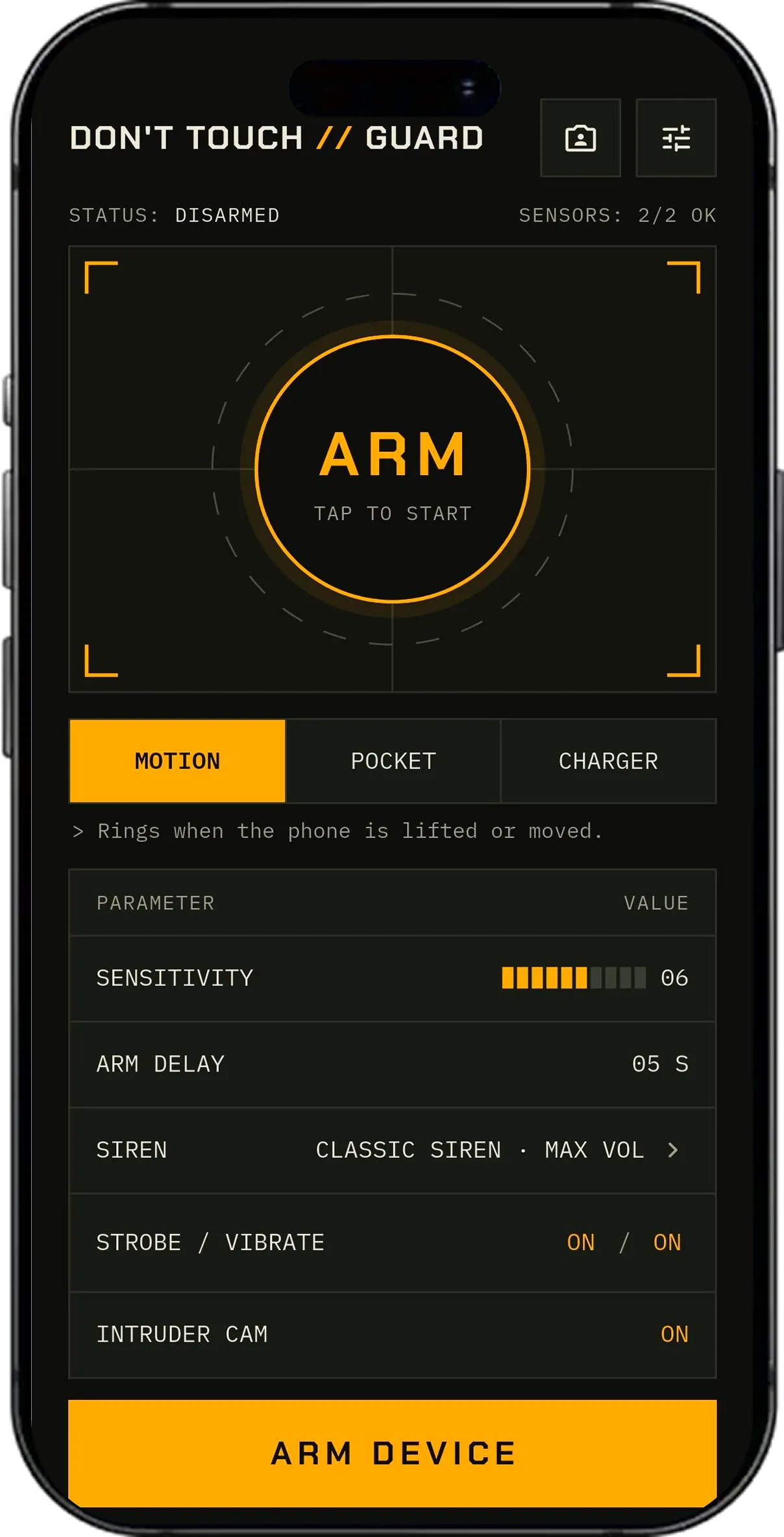
Pocket Guardian is an anti-theft and privacy app for Android, built with Flutter. It protects your phone when you leave it on a table, in a bag, or on charge. If someone moves it, takes it out of your pocket, or unplugs the charger, the phone sounds a loud siren at full volume, even in silent mode. It also flashes the torch, vibrates, and shows a full-screen alarm over the lock screen. The alarm stops only with the owner’s PIN, fingerprint or face. When someone types the wrong screen-lock password, the app quietly takes a front-camera photo of them and saves it in an Intruder Log. A home-screen widget arms and disarms protection in one tap and shows live status. The interface uses a custom “Tactical” design: a dark graphite background with amber hazard colours and sensor-style readouts.
Flutter
Dart
Kotlin
Pocket Guardian screen 1
Pocket Guardian screen 2
Pocket Guardian screen 3
Pocket Guardian screen 5
Pocket Guardian screen 6

Challenges & solutions

The technical problems our team solved to ship a reliable, unified mobile experience.

Android stops background apps, so the guard stopped working when the screen was off.

Detection runs in a foreground service with a wake lock, and the app asks the user to turn off battery optimisation.

The alarm could be silenced with the volume buttons or silent mode.

Sound plays on the alarm audio channel, and the volume is forced back to maximum every 400 ms.

The alarm had to show even on a locked phone.

A full-screen-intent notification with show-when-locked and turn-screen-on flags opens the BREACH screen over the lock screen.

A thief could disarm from the widget or notification.

Disarm always goes through the app’s PIN or biometric check when a PIN is set. Only the short “Abort” during the arming countdown is direct.

Taking a photo silently when someone types a wrong password.

A Device Admin receiver catches the failed password. A camera foreground service then takes a hidden Camera2 photo, skipping the first frames so the exposure is correct.

Motion alarm went off from small vibrations, like a table bump.

A baseline after the start delay, a sensitivity-based threshold, and a rule that needs 2 hits in a row cut down false alarms.

Pocket mode rang the moment it was armed.

The app first waits for the proximity sensor to read “near” (Standby) and only then watches for “far”.

Charger mode could be armed with no charger plugged in.

The app checks the charger and the sensors before arming and tells the user what is missing.

Settings had to stay the same in Flutter, the native service and the widget.

Settings are mirrored to native storage through the MethodChannel. The widget writes back to Flutter’s store, and the app reloads it when it opens.

Alarm sounds went missing in release builds.

Sounds are kept in res/raw with a keep rule so the release build doesn’t strip them.

Key features

What users get in the finished, shipped product.

Motion Alarm

  • Overview: Motion detection system that identifies unauthorized phone movement using the device accelerometer.
  • Features: Automatic movement baseline calibration when the phone is placed on a surface, pickup and shake detection, and adjustable sensitivity levels from 1 to 10.

Pocket Alarm

  • Overview: Proximity-based security feature that detects when someone removes the phone from a pocket or bag.
  • Features: Proximity sensor monitoring, automatic pocket/bag detection, and instant alarm activation when the phone is pulled out.

Charger Alarm

  • Overview: Anti-theft charging protection that alerts the owner when someone disconnects the phone from its charger.
  • Features: Real-time charging connection monitoring and instant siren activation when the charger is unplugged, ideal for cafés, airports, and offices.

Intruder Selfie & Private Intruder Log

  • Overview: Intruder detection system that captures evidence when someone repeatedly attempts to unlock the device.
  • Features: Front-camera photo capture after 1, 2, or 3 incorrect screen-lock attempts, with captured photos securely stored in a private Intruder Log alongside date and time information.

Loud Alarm in Silent Mode

  • Overview: High-priority alarm system designed to remain audible even when the device is muted or someone attempts to lower the volume.
  • Features: Alarm-channel siren playback, maximum-volume enforcement, and protection against volume-button interference and silent-mode settings, subject to Android system restrictions.

Custom Alarm Sounds

  • Overview: Personalized alarm sound system offering multiple built-in sirens and custom audio options.
  • Features: Six built-in sirens (Siren, Police, Buzzer, Beeps, Hi-Lo, Horn), custom voice-message recording, and audio file importing.

Flash and Vibration Alerts

  • Overview: Multi-sensory alert system that combines visual and physical feedback with the alarm siren.
  • Features: Automatic flashlight strobing and continuous device vibration synchronized with the alarm.

Configurable Start Delay & Alarm Delay

  • Overview: Flexible alarm timing controls that provide setup time and an opportunity for the owner to disarm the system.
  • Features: Start delay to place the phone after arming and alarm delay to provide a grace period for authorized disarming before the siren activates.

Secure Disarm & Biometric Authentication

  • Overview: Protected alarm deactivation system that ensures only the authorized owner can stop an active alarm.
  • Features: PIN, fingerprint, face, or iris-based authentication, with PIN credentials stored as a secure hash rather than plain text.

Smart Auto-Disarm

  • Overview: Intelligent security mechanism that automatically recognizes the owner when the device is unlocked through its secure screen-lock authentication.
  • Features: Automatic guard deactivation following successful owner authentication through the device's configured screen lock.

Lock-Screen Alarm & Full-Screen Breach Alert

  • Overview: Prominent intrusion notification interface that alerts nearby people when unauthorized access or movement is detected.
  • Features: Full-screen BREACH alert displayed over the lock screen and automatic display activation when the alarm is triggered, subject to Android lock-screen and background execution restrictions.

Interactive Home-Screen Widget

  • Overview: Quick-access security controls that allow users to manage alarm protection directly from the device home screen.
  • Features: One-tap ARM functionality with mode switching, live security states (ARMED with T+ timer, STANDBY, ARMING, BREACH), and PIN-protected DISARM functionality directly from the widget.

Live Security Event Log

  • Overview: Real-time activity monitoring interface that provides visibility into every important security event while the guard is active.
  • Features: Live event tracking for Armed, Baseline Locked, Trigger, Alarm, and Disarmed states.

Guided Setup & System Permission Check

  • Overview: Step-by-step onboarding experience that helps users configure the security system and verify the required device permissions.
  • Features: Dedicated System Check screen guiding users through required permissions, device capabilities, and security feature setup.

Tech integrations

Third-party SDKs & libraries

7 core integrations powered

local_auth

Core system integration

permission_handler

Device permissions & guards

shared_preferences

Core system integration

path_provider

Core system integration

google_fonts

Core system integration

file_picker

Core system integration

AndroidX Core KTX

Core system integration

Demo & Walkthrough
Project Video

More Case Studies
Related Work

Similar Projects We've Built

Have a similar idea? Let's build it together.

From concept to launch, we turn your vision into a world-class product.