Case Study
Mobile

TVibe – Live TV & IPTV Player

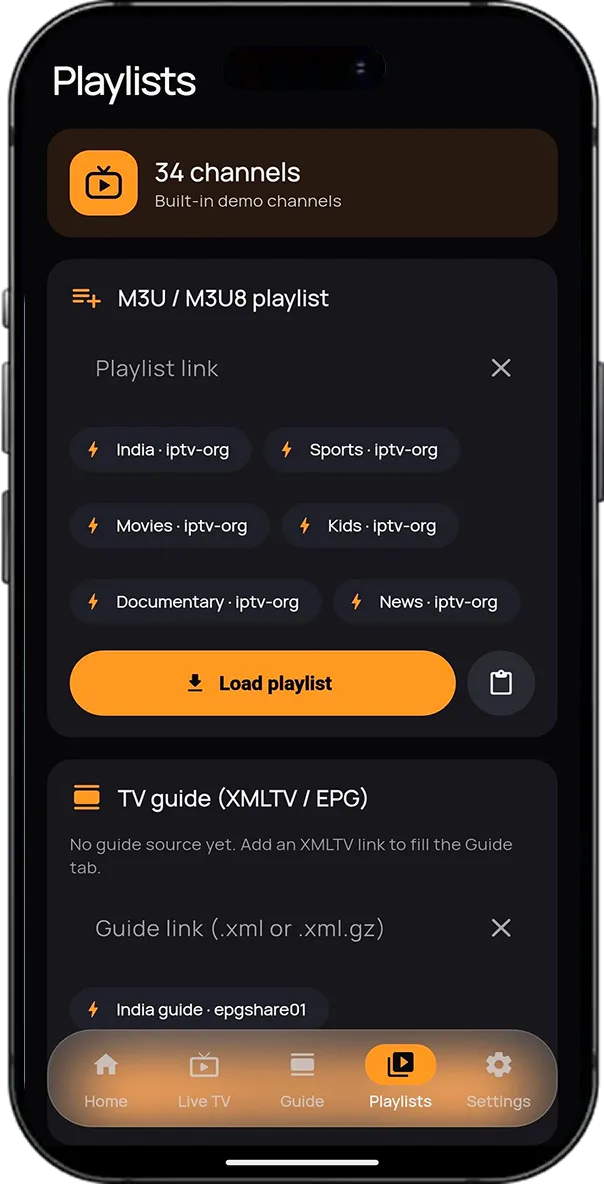
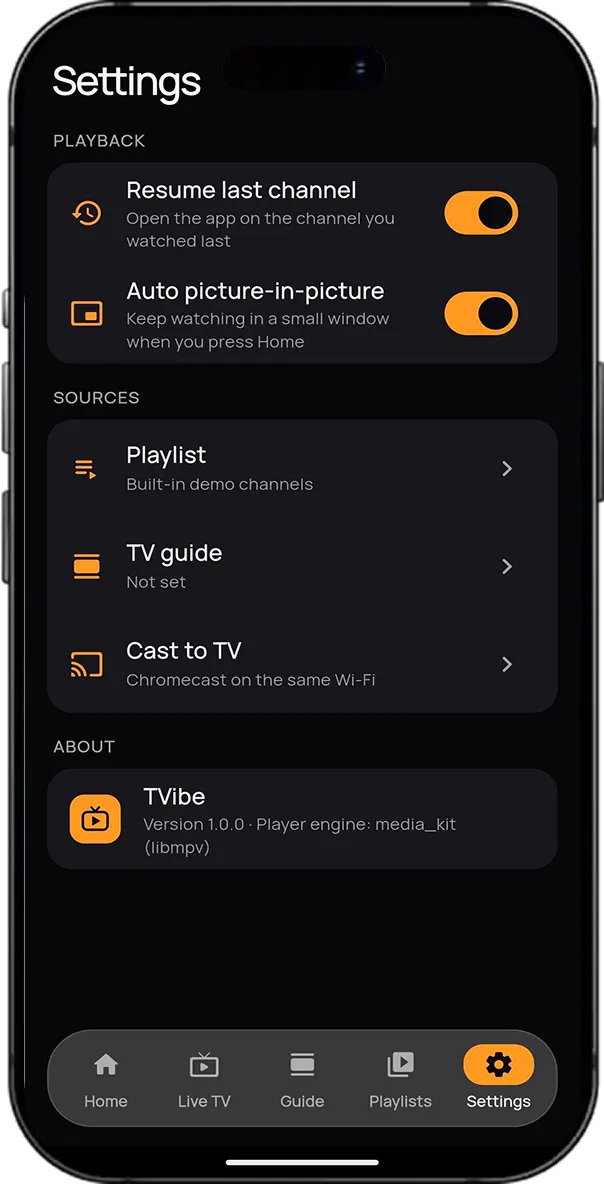
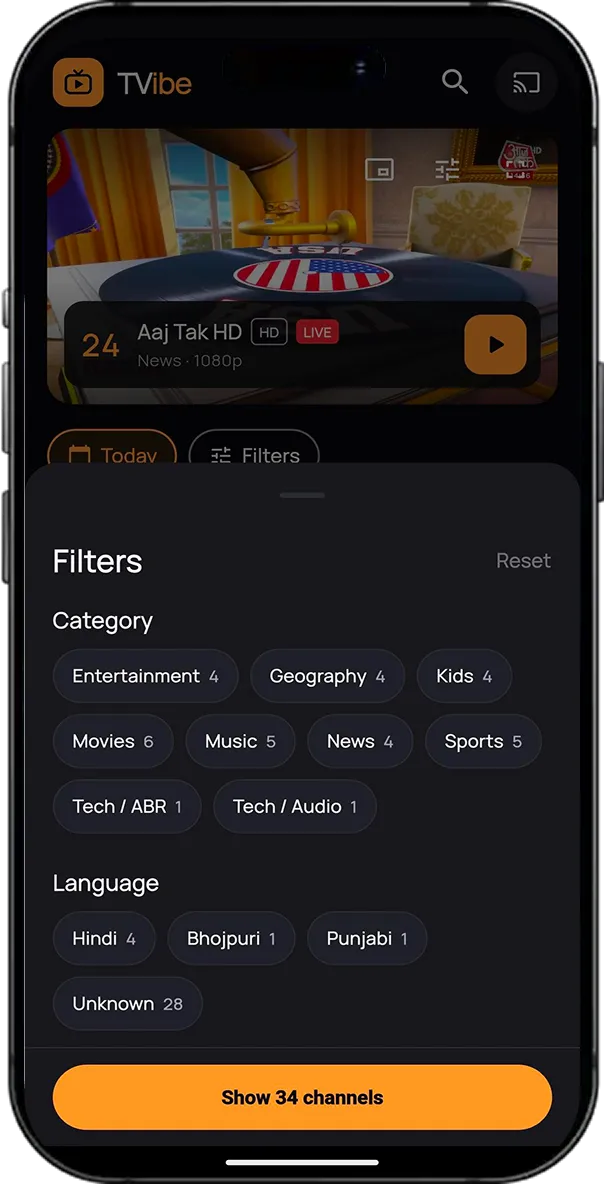
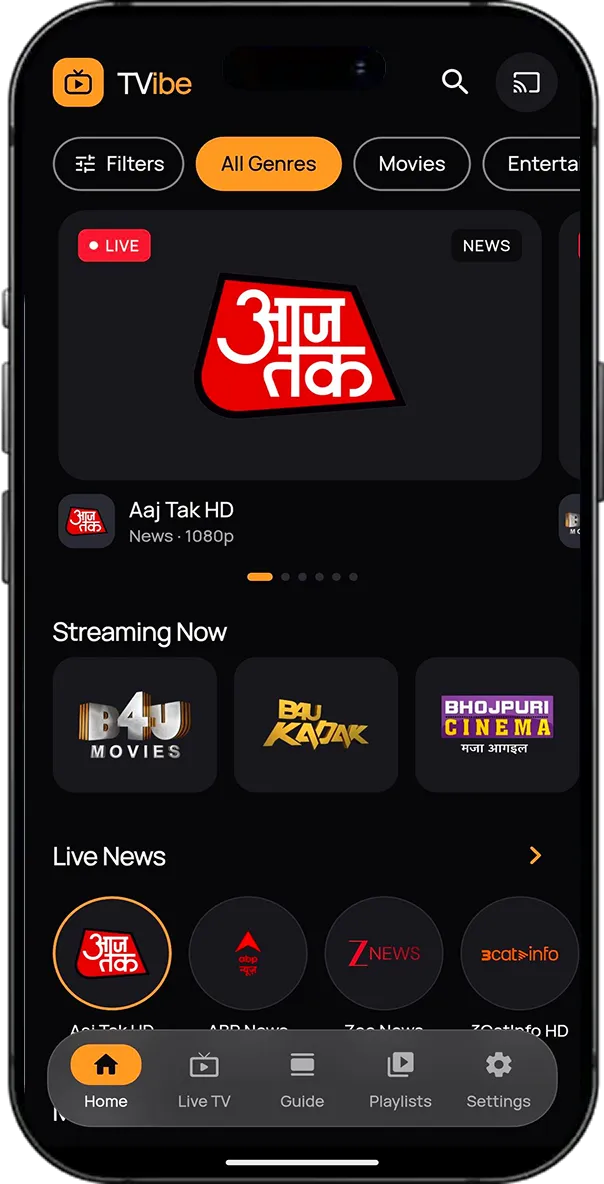
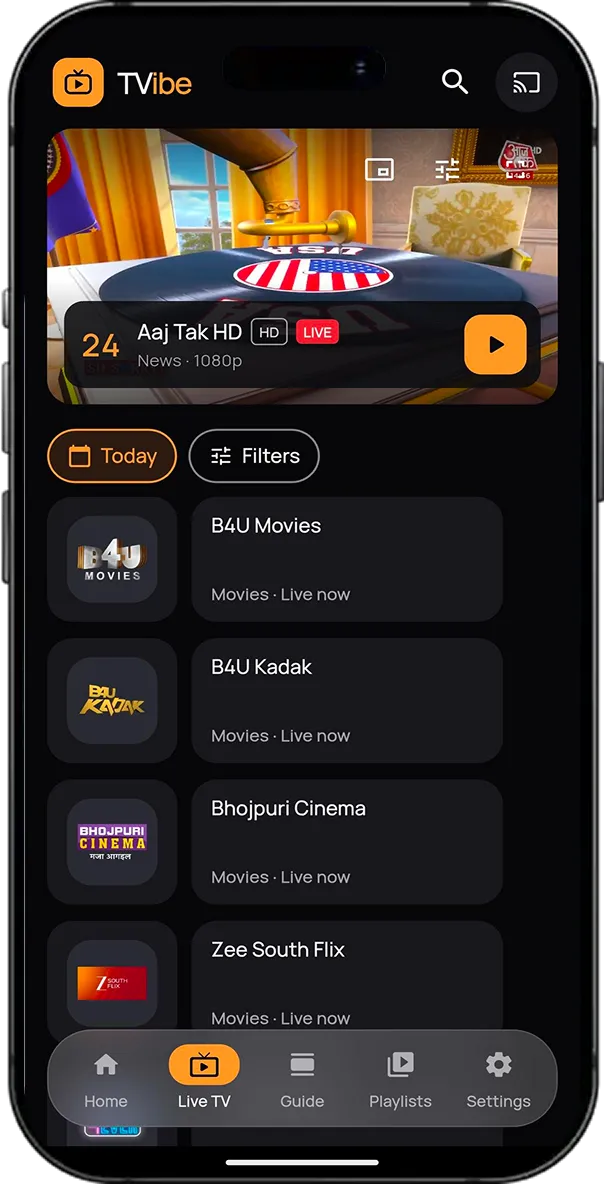
TVibe is a live TV and IPTV streaming app built with Flutter that delivers a complete television experience through M3U and HLS playlists. It features a browsable home screen with a featured carousel, category-based content rows, and live news, alongside a dedicated Live TV screen with an integrated player and programme guide for each channel, as well as a full TV Guide (EPG). The advanced player supports instant channel switching, automatic video quality adjustment based on network conditions, audio and subtitle track selection, picture-in-picture playback, and Chromecast streaming. TVibe automatically detects channel languages and retrieves programme guide information without requiring any manual configuration. Users simply paste a playlist link and start watching, while an advanced filter sheet allows them to narrow down hundreds of channels by category and language simultaneously.
Flutter
Dart
Kotlin
Swift
TVibe – Live TV & IPTV Player screen 1
TVibe – Live TV & IPTV Player screen 2
TVibe – Live TV & IPTV Player screen 3
TVibe – Live TV & IPTV Player screen 4
TVibe – Live TV & IPTV Player screen 5

Challenges & solutions

The technical problems our team solved to ship a reliable, unified mobile experience.

False playback error messages

Built a StallDetector: it shows an error only if playback stops moving for 6 seconds, and the error clears on its own when playback recovers

Missing EPG data for public playlists

Auto EPG: works out the playlist's main country from the channel IDs and loads the matching epgshare01 guide. The guide covered 1 channel before this and 300+ after it

Channel name and ID mismatches

Normalised both names and IDs before matching them

Large EPG files freezing the UI

Streaming XML parse inside a Dart Isolate. It keeps only the needed channels and a 51-hour time window

Missing channel language tags

Three-step language detection: playlist tag, then iptv-org data (an 8 MB file downloaded once, keeping only the needed entries), then the channel name. 833 of 833 channels resolved on a real India playlist

Player controls overflowing in small windows

Controls that change with available size: full, compact or hidden

Wasted space around video on different screens

Responsive 16:9 player with a height cap, plus a side-by-side layout on tablets and wide screens

Audio overlap and memory usage from duplicate players

One shared Player and VideoController used by the inline, mini, fullscreen and PiP views

Key features

What users get in the finished, shipped product.

Live TV Streaming

  • Overview:Live television streaming system supporting HLS streams and M3U playlists with channel-specific request configurations.
  • Features:Plays HLS (.m3u8) streams and M3U playlists, including per-channel user-agent and referrer headers.

Adaptive Bitrate & Manual Quality Selection

  • Overview:Intelligent video quality management system that adjusts playback quality based on network conditions.
  • Features:Automatic bitrate selection and manual resolution options such as 1080p, 720p and other available qualities.

Instant Channel Switching

  • Overview:Fast channel navigation experience designed for seamless switching during live playback.
  • Features:Swipe gestures on the player, next/previous controls, direct channel selection, and a shared player instance for faster switching.

Electronic Programme Guide (EPG)

  • Overview:Interactive TV guide displaying current and upcoming programmes with schedule information.
  • Features:Now and Next programme details with a progress bar, Today and Tomorrow schedules, and automatic selection of the appropriate country's guide when a playlist has no guide link.

Picture-in-Picture Playback

  • Overview:Multitasking playback experience that allows users to continue watching live TV while navigating outside the player.
  • Features:Native Android PiP, automatic PiP activation when leaving the app, and a floating mini player visible across other tabs.

Chromecast Integration

  • Overview:Wireless casting functionality that allows users to stream live TV channels on compatible televisions.
  • Features:Automatically discovers Cast devices on the network and casts live streams to the TV.

Multiple Audio & Subtitle Tracks

  • Overview:Flexible playback configuration allowing users to personalize audio, subtitles, and video presentation.
  • Features:Switch audio languages and subtitles during playback, with picture size options including fit, fill, and stretch.

Custom Player Controls

  • Overview:Adaptive playback control interface designed to provide consistent controls across different player layouts.
  • Features:Controls adapt to inline, mini, fullscreen, and PiP sizes, with keyboard shortcuts and a bottom information bar.

Smart Category & Language Filters

  • Overview:Combined channel filtering system that helps users quickly discover channels based on their preferences.
  • Features:Bottom-sheet filtering by category and language simultaneously, with live channel counts.

Automatic Channel Language Detection

  • Overview:Intelligent language identification system that determines the language of individual TV channels.
  • Features:Detects channel languages using playlist tags, iptv-org channel data, or channel names.

Playlist Management

  • Overview:Flexible playlist setup and channel management system supporting multiple ways to add and access streams.
  • Features:Load playlists from a URL or pasted text, add individual streams, access sample playlists, and resume the last-watched channel.

Modern TVibe User Interface

  • Overview:Premium entertainment interface featuring a cinematic visual style and custom brand identity.
  • Features:Dark cinematic theme, featured content carousel, frosted-glass bottom navigation, and custom TVibe branding and logo.

Tech integrations

Third-party SDKs & libraries

6 core integrations powered

media_kit

Core system integration

flutter_chrome_cast

Core system integration

http

HTTP client & interceptors

xml

Core system integration

shared_preferences

Core system integration

google_fonts

Core system integration

More Case Studies
Related Work

Similar Projects We've Built

Sky Radar: Interactive Global Weather & Radar Map

Sky Radar is a high-performance, cross-platform weather radar application built with Flutter. It combines live satellite imagery, Doppler radar loops, planetary temperature heatmaps, and 60 FPS animated wind streamlines over an interactive vector map. Designed with a sleek glassmorphic dark interface, the app delivers hyperlocal weather forecasts alongside fluid, worldwide atmospheric visualizations.
FlutterGetX+1
View Case Study
GoHighLevel Lead Manager

GoHighLevel Lead Manager

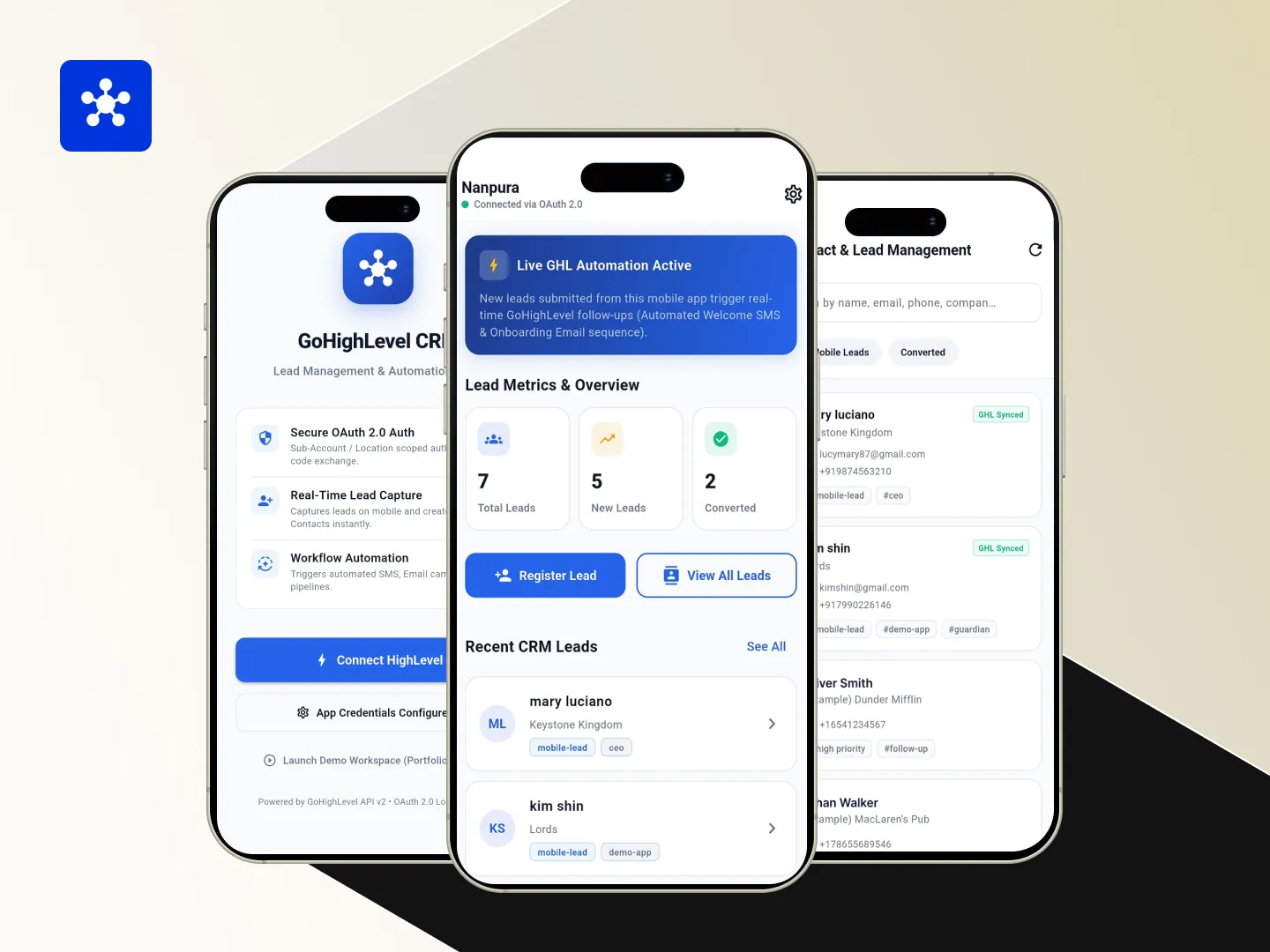
A mobile CRM companion app for GoHighLevel. Users connect a GoHighLevel sub-account through OAuth, then view and manage that sub-account's contacts and register new leads from the phone. Leads created in the app are tagged so they can start GoHighLevel automation workflows.
FlutterDart+1
View Case Study
Meow Mimic: an interactive virtual pet game

Meow Mimic: an interactive virtual pet game

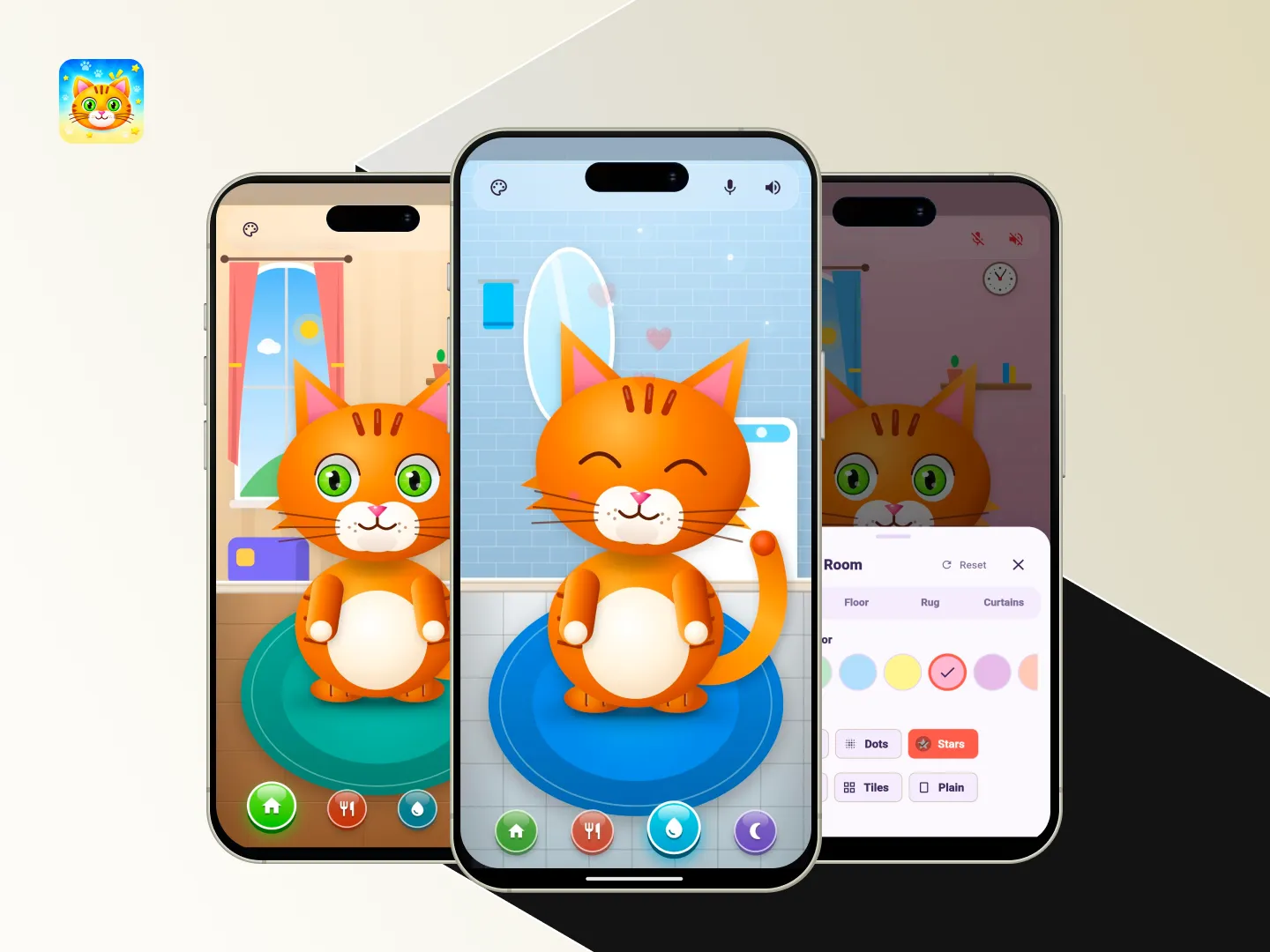
Meow Mimic is a Flutter-based virtual pet game where an interactive 2D cat listens and repeats speech in a cute cartoon voice using offline DSP processing. Players can pet, feed, and play with the cat, explore four themed rooms, and customize their decor.
FlutterDart+4
View Case Study
Bumpy Ride: a physics-based hill climb racing game

Bumpy Ride: a physics-based hill climb racing game

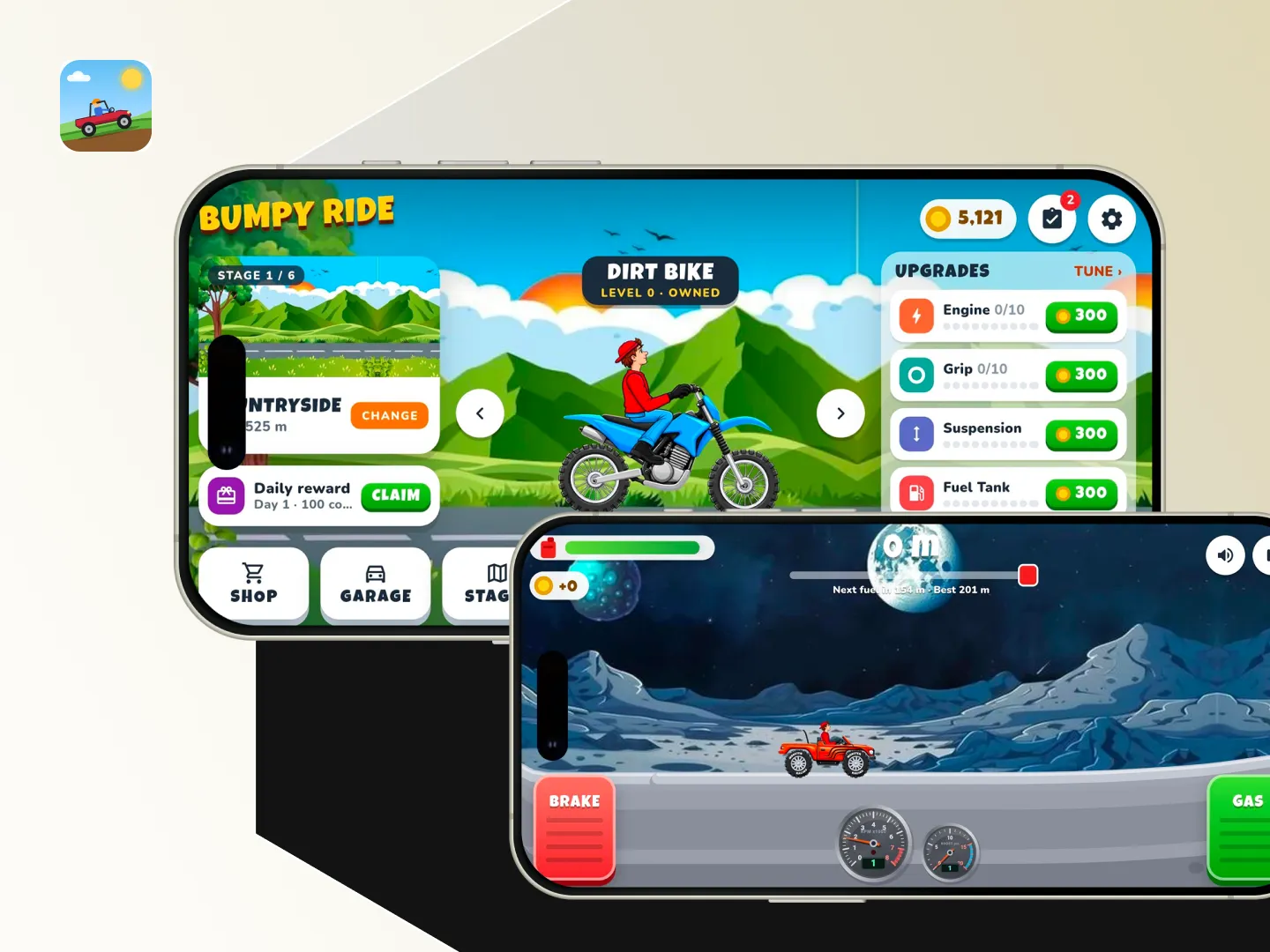
Bumpy Ride is an offline 2D hill-climbing racing game built with Flutter, featuring endless procedurally generated terrain and physics-based vehicle controls. Players collect fuel and coins, upgrade vehicles, and unlock new stages with unique terrain and physics in a colourful cartoon-style world.

FlutterDart+1
View Case Study

Have a similar idea? Let's build it together.

From concept to launch, we turn your vision into a world-class product.