Yes, Flutter is a good choice for most business apps that need one product on iOS and Android, a custom UI and fast releases.

It is the wrong choice when your app depends on a platform's newest native features at launch, has to rank in search as a website, or must stay as small as possible.
TL;DR
Best fit: customer apps, internal tools, MVPs and dashboards that need to look and behave the same on iOS and Android.
Biggest pros: one codebase, fast iteration with hot reload, and full control over the UI.
Biggest cons: larger app size, delays on new OS features, and a smaller Dart hiring pool.
Do not use it for: SEO-driven websites, heavy 3D games, or apps built around day-one native APIs.
Disclosure: Mind Stack Labs builds Flutter apps. We also build React Native and native apps, so I flag where Flutter loses.
Is Flutter good for business apps? The 30-second answer
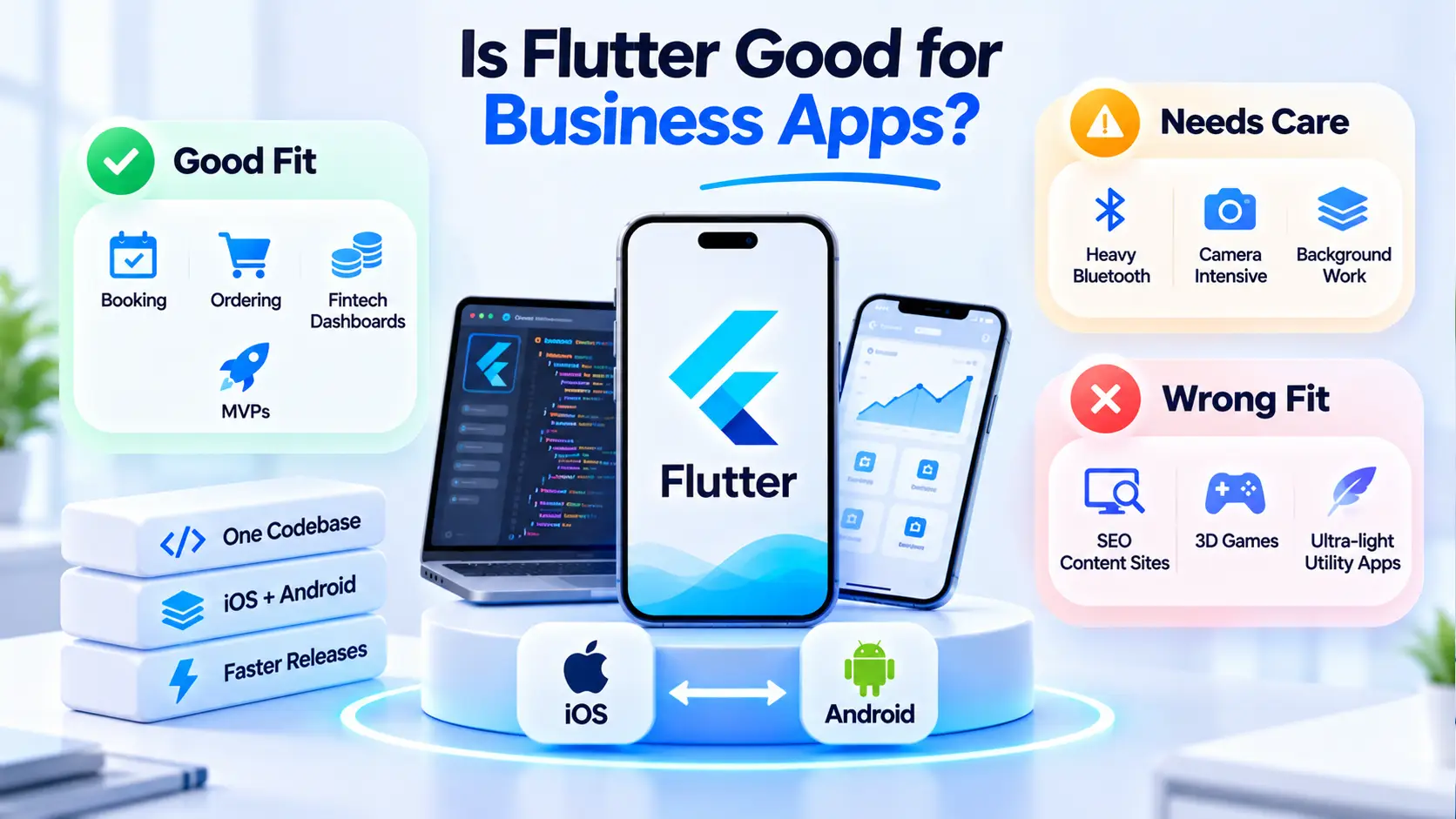
Flutter fits when you want one team to ship the same product on two platforms. It struggles when the platform itself is the product.
Picture this. You need an iPhone app on launch day that uses a brand-new iOS feature Apple announced last month. Would you bet the launch on a cross-platform framework catching up in time?
Me neither. Here is why.
Flutter reaches native features through a bridge layer.
New platform APIs often need a plugin or custom native code first. That is fine for most apps, and risky for the few that live on the newest APIs.
Fit | Typical app | Why |
|---|---|---|
Good fit | Booking, ordering, fintech dashboards, field-service apps, MVPs | Same UI on both platforms, fast iteration |
Needs care | Apps with heavy Bluetooth, camera or background work | Possible, but plan native code early |
Wrong fit | SEO content sites, 3D games, ultra-light utility apps | Search, engine and size limits |
What Flutter is, in one paragraph
Flutter is Google's open-source UI toolkit for building apps for mobile, web and desktop from one Dart codebase. It draws its own UI instead of using each platform's native widgets.
That last point explains most of the pros and most of the cons:
→ Own rendering = the same look on every device
→ Own rendering = more control, but a larger app and slower access to new native UI
Who uses it? The official Flutter showcase lists production apps from large brands. Check it yourself rather than trusting any agency's logo wall, ours included.
Flutter pros and cons: what I evaluate on
Before the verdict, here is the rubric I use for every stack decision in a business app:
Time to market: how fast can one team ship to both stores?
Total cost of ownership: build, maintenance and upgrades over three years.
Platform risk: how much the app depends on new native APIs.
Team risk: can you hire and replace developers?
Exit cost: what happens if you need to change course?
Every pro and con below maps back to one of these five.
Flutter pros for business apps
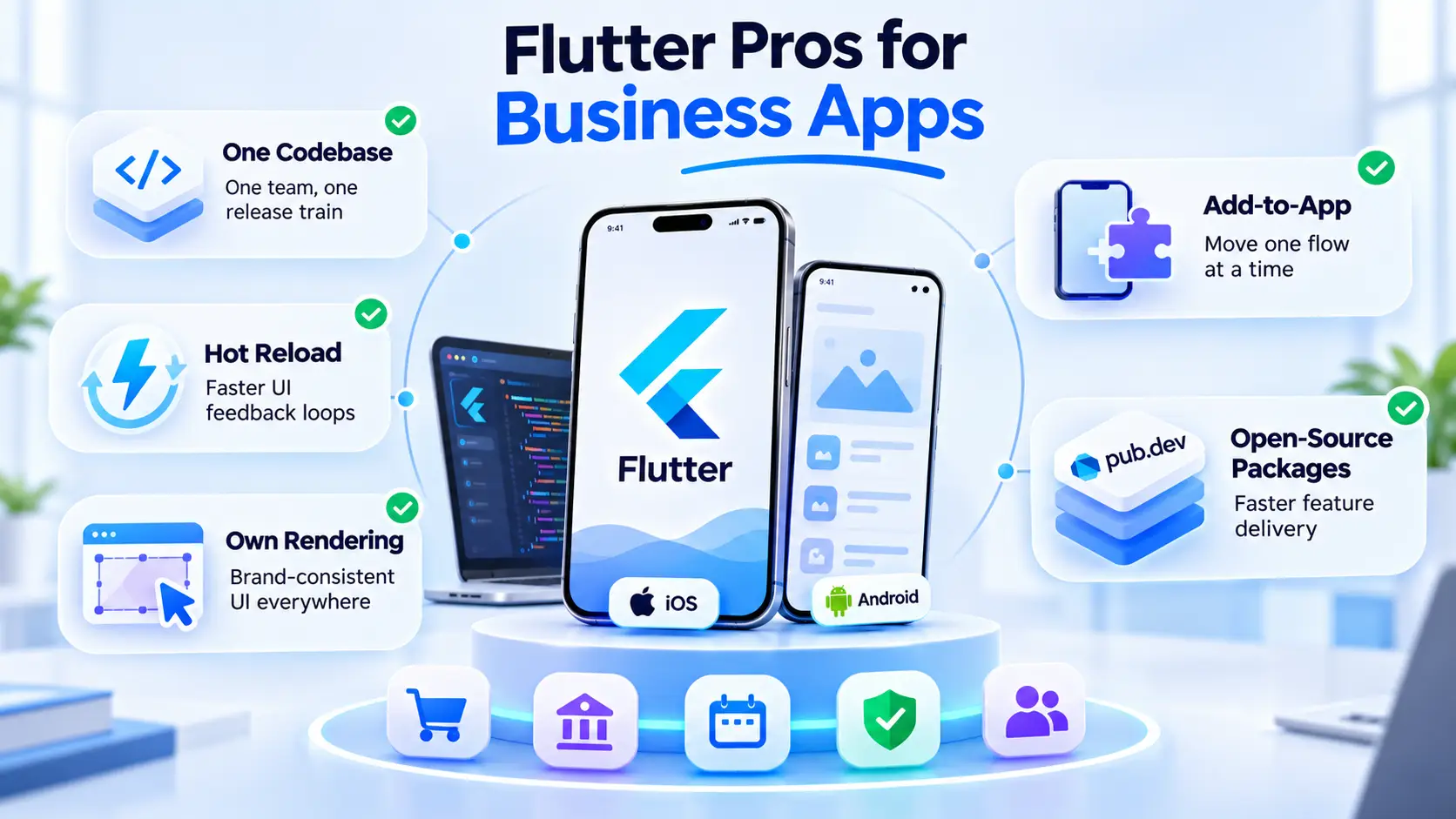
Flutter's main advantage is one codebase that behaves the same on iOS and Android. The rest of its advantages follow from that.
Pro | What it means for the business | The catch |
|---|---|---|
One codebase | One team, one release train | Platform-specific work still exists |
Hot reload | Faster UI feedback loops | It does not replace QA |
Own rendering | Brand-consistent UI everywhere | Can feel less "native" in places |
Add-to-app | Move one flow at a time | Two stacks to maintain meanwhile |
Open-source packages | Faster feature delivery | Package quality varies |
One codebase for iOS and Android
One codebase means one backlog, one QA pass per feature and one release plan. That is the real saving, not "half the cost".
In the builds I have worked on, the saving shows up in coordination. Two native teams drift apart. One Flutter team ships the same feature on the same day.
Faster iteration with hot reload
Hot reload injects code changes into a running app in about a second, keeping its state. Designers and product owners review changes live instead of waiting for a new build.
Pro tip: put your designer next to a developer for one hot-reload session per sprint, and watch UI feedback cycles shrink.
Full control over the UI
Flutter draws every pixel, so your brand looks the same on a cheap Android phone and the latest iPhone. That matters for fintech, booking and consumer apps where trust is visual.
Incremental adoption with add-to-app
You do not need a big-bang rewrite. Flutter's add-to-app lets you embed one Flutter screen or flow inside an existing native app, test it, then expand.
A real package ecosystem
pub.dev hosts the packages most business apps need: payments, maps, push and auth.
We publish some ourselves, like Twilio Voice for Flutter.
Our list of Flutter utility packages covers the ones we reach for most.
Flutter cons and risks you should plan for
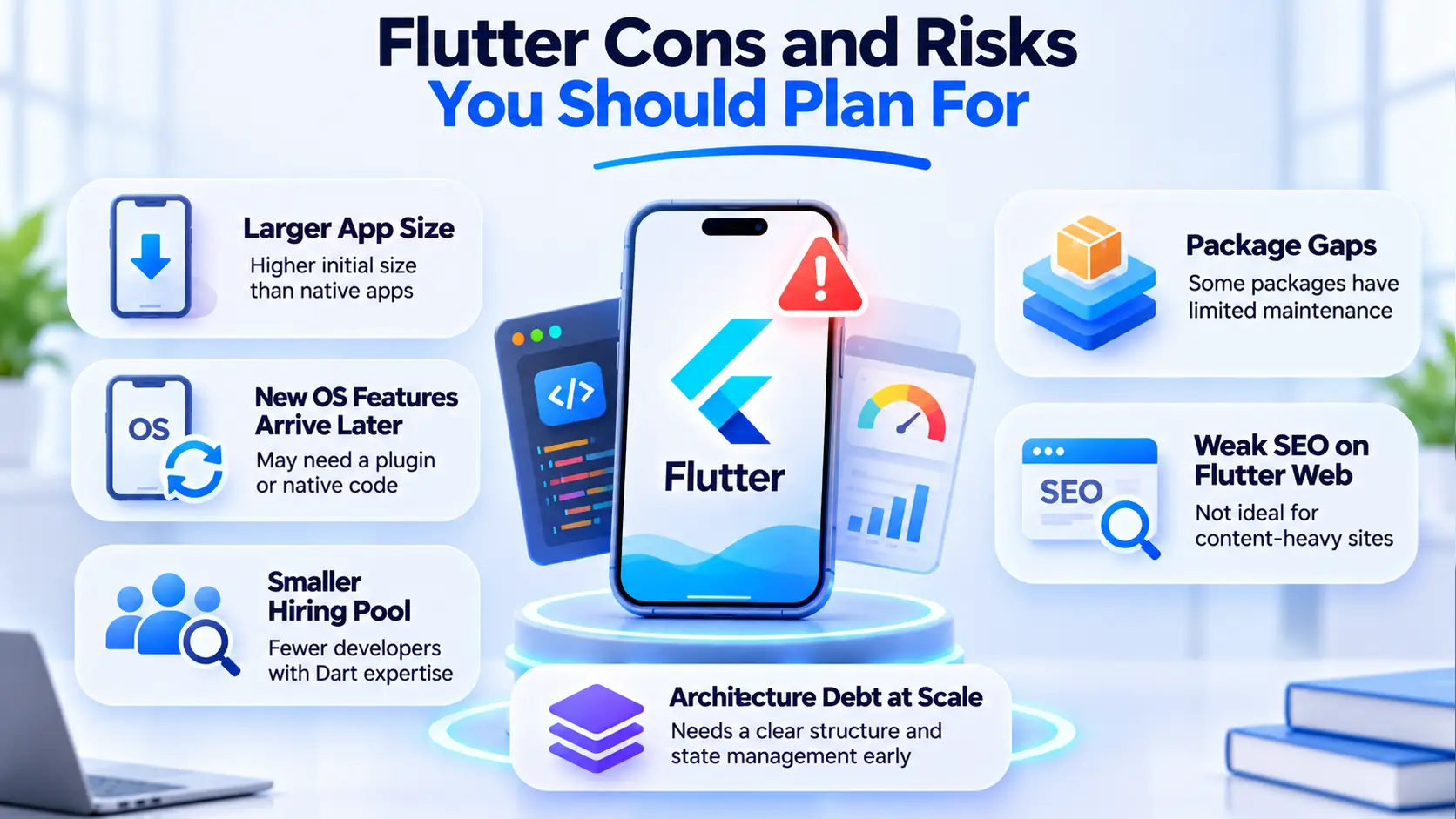
Flutter's disadvantages are real but mostly manageable. The trick is knowing which ones apply to your app before you commit.
Risk | Who it hurts most | How to reduce it |
|---|---|---|
Larger app size | Users on low storage or slow networks | Measure early, split assets |
New OS features arrive later | Apps built on the newest native APIs | Budget for native code |
Smaller Dart talent pool | Teams hiring in-house | Document architecture, use a partner |
Package gaps | Apps with niche hardware or SDKs | Audit packages before you commit |
Weak SEO on Flutter web | Content and marketing sites | Use a web stack for public pages |
App size and resource use
Flutter ships its own engine inside every app, so a minimal Flutter app starts larger than a minimal native one. For most business apps that difference does not decide anything.
Pro tip: run flutter build apk --analyze-size in week one, so app size is a measured number and not a surprise at launch.
New platform features arrive later
Flutter talks to native APIs through platform channels and plugins.
When Apple or Google ships something new, you either wait for a plugin or write native code yourself.
This is hard. Not impossible. It just needs native skills on the team.
A smaller hiring pool
Dart is mainly used with Flutter, so fewer developers know it than JavaScript or Kotlin. That raises hiring risk for in-house teams, not for the app itself.
Package gaps and maintenance
Some packages are maintained by one person. If that person stops, the package becomes your problem. Check the publisher, update history and open issues before you depend on one.
Architecture debt at scale
Flutter does not force an architecture. Small apps get away with that. Larger ones need a clear state management choice and a module structure from the start.
Know why most Flutter "performance problems" we get asked about are not Flutter problems?
The architecture was never planned.
If you suspect that already, a Flutter architecture review is cheaper than a rewrite.
Wait, you might be thinking: "Will Google drop Flutter?"
Nobody can promise that, but Flutter shows active releases, and your code stays yours either way. Flutter 3.47 shipped on 12 August 2026, after 3.44 in May and 3.41 in February.
Flutter is open source. If Google stepped back tomorrow, your app would keep running, and the community could keep the framework alive. The real risk is slower updates, not a dead app.
→ Active releases + open source = low short-term risk
→ Long-term plan = keep business logic clean, so moving stacks stays possible
Is Flutter good for startups, enterprise and regulated apps?
Flutter works across company sizes. What changes is how much discipline the build needs.
Business type | Flutter fit | What changes the answer |
|---|---|---|
Startup or MVP | Strong | You need day-one native features |
Scaleup | Strong | No architecture plan as the team grows |
Enterprise | Good | Weak testing and release processes |
Healthcare and fintech | Good | Compliance gaps in backend and hosting |
Startups and MVPs
Startups get the most from one codebase: one small team, both stores, fast feedback. Our single Flutter codebase case study shows that setup in practice.
Enterprise apps
For enterprise apps, the framework matters less than the engineering around it. Check testing, CI/CD, code review and long-term maintenance before you debate Flutter itself.
Healthcare and fintech apps
Compliance lives mostly in your backend, hosting and processes, not in the UI framework.
We build to HIPAA technical safeguards, such as encryption and access controls, whatever the front end is. See our healthcare app development approach for that side of the work.
Not sure Flutter fits your app?
Send us a few lines about what you are building. We will tell you if Flutter fits, or which stack fits better.
Get a second opinionWhen not to use Flutter
Do not use Flutter when the platform, the search engine or the app size matters more than shared code. Here is where I would pick something else.
Situation | Why Flutter struggles | What I would look at instead |
|---|---|---|
App depends on brand-new iOS or Android APIs at launch | Plugins lag behind new platform releases | |
Public website that must rank in Google | Flutter web draws to a canvas, which suits apps, not content pages | Next.js for public pages |
Team already writes React daily | Retraining costs more than it saves | |
Heavy 3D or game-like graphics | A game engine fits better | A dedicated game engine |
Ultra-light utility where every MB counts | Engine overhead dominates | Native |
Simple internal app, tiny budget | Custom code may be overkill | FlutterFlow or low-code |
Why some companies do not use Flutter
Most companies that skip Flutter do so for team reasons, not technical ones. They already have native or React developers, an existing codebase, or a product built on one platform.
That is a valid reason. Rewriting a working app just to change frameworks rarely pays off. (Yes, an agency that builds Flutter just said that. Our sales lead was thrilled.)
The "stop and reconsider" checklist
Pause the Flutter decision if you answer yes to two or more:
[ ] Does the launch depend on an OS feature released this year?
[ ] Is search traffic to the app's web version a core growth channel?
[ ] Does your current team write React or native code every day?
[ ] Is the app mostly 3D graphics or real-time game physics?
[ ] Is install size a hard business constraint?
A scorecard to decide if Flutter is right for your app
Score each row from 0 to 2. A total of 8 or more points toward Flutter. Treat it as a thinking tool, not a formula.
Question | 2 points | 0 points |
|---|---|---|
Do you need iOS and Android at launch? | Yes, both | One platform only |
Is a consistent branded UI important? | Very | Native look preferred |
How much do you depend on new native APIs? | Little | Heavily |
Is speed to market a priority? | Yes | No deadline |
Is your web presence mainly SEO content? | No | Yes |
Can you staff Dart skills or a partner? | Yes | No |
Two quick illustrative examples (not client stories):
A booking app for a clinic group: both platforms, branded UI, standard APIs. Scores high. Flutter fits.
A content-led marketplace that lives on search traffic: the mobile app can be Flutter, but the public site should not be.
What Flutter changes about cost and team
Flutter usually lowers coordination cost, not every cost. You still pay for design, backend, QA and store compliance.
The cost drivers to price:
Number of screens and custom UI
Native integrations (payments, Bluetooth, background tasks)
Backend work (often Firebase or a custom API)
Push, auth and analytics setup (see our Flutter push notifications guide)
Ongoing upgrades and store requirement changes
2026 changes that affect any Flutter business app
Store rules changed this year, and they apply to Flutter apps like any other app.
Change | Date | What to check |
|---|---|---|
Xcode 26 and iOS 26 SDK required for App Store uploads | Since 28 April 2026 | Is your build pipeline on Xcode 26? |
Android 16 (API level 36) required for new apps and updates on Google Play | From 31 August 2026, extension possible to 1 November 2026 | Does your app target API 36? |
12 August 2026 | Is your app on a supported Flutter version? |
The lesson: budget for maintenance every year, whatever framework you pick.
Which option should you choose?
Match your top priority to one move:
If you need iOS and Android fast with a branded UI, go with Flutter.
If your app lives on new native APIs, go with native iOS and Android.
If your team already writes React, go with React Native.
If your public site needs search traffic, go with Next.js for the web and Flutter for the app.
If you are testing an idea on a small budget, go with FlutterFlow first.
What building with Mind Stack Labs looks like
We build Flutter apps end to end: design, development, QA and store release. We also publish open-source Flutter and Dart packages on our community page.
Two honest trade-offs:
We build React Native and native too, so we will tell you if Flutter is not the fit.
We are a full-cycle agency, so we are not the cheapest option for a single-screen prototype.
Planning a Flutter business app?
Book a free 30-minute scoping call. You leave with a stack recommendation, even if it is not Flutter.
Book a scoping callFrequently asked questions
1. What are the disadvantages of Flutter?
The main ones are a larger app size, slower access to brand-new native features and a smaller Dart hiring pool. Flutter web is also weak for SEO-driven content pages.
2. Is Flutter still relevant in 2026?
Yes. Flutter shipped releases 3.41, 3.44 and 3.47 in 2026, the latest on 12 August. Active, regular releases are the clearest relevance signal.
3. Flutter vs React Native: which is better for a business app?
Flutter is usually better for a consistent custom UI on both platforms. React Native is usually better when your team already writes React. Team skills often decide it.
4. Why don't companies use Flutter?
Most skip it for team and legacy reasons: existing native or React code, existing developers, or a one-platform product. Fewer skip it for technical limits.
5. Is Flutter good for enterprise apps?
Yes, when the engineering is solid. Testing, CI/CD, architecture and maintenance plans matter more than the framework itself.
My recommendation
Start with Flutter if you need one app on iOS and Android, a branded UI and fast releases. Use native if your launch depends on new platform APIs, and keep a web stack for pages that must rank.
Still deciding? Read how we approach Flutter app development, or tell me in the comments which Flutter limit hit your team hardest.