Case Study
Desktop

GameSloth Desktop

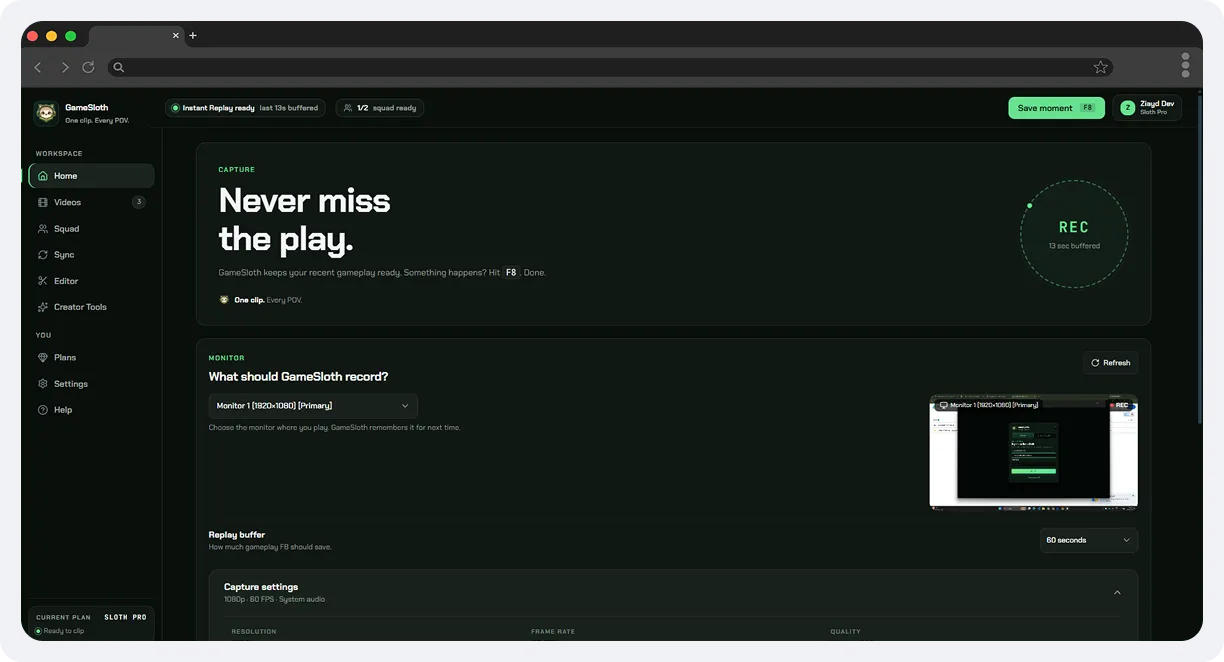
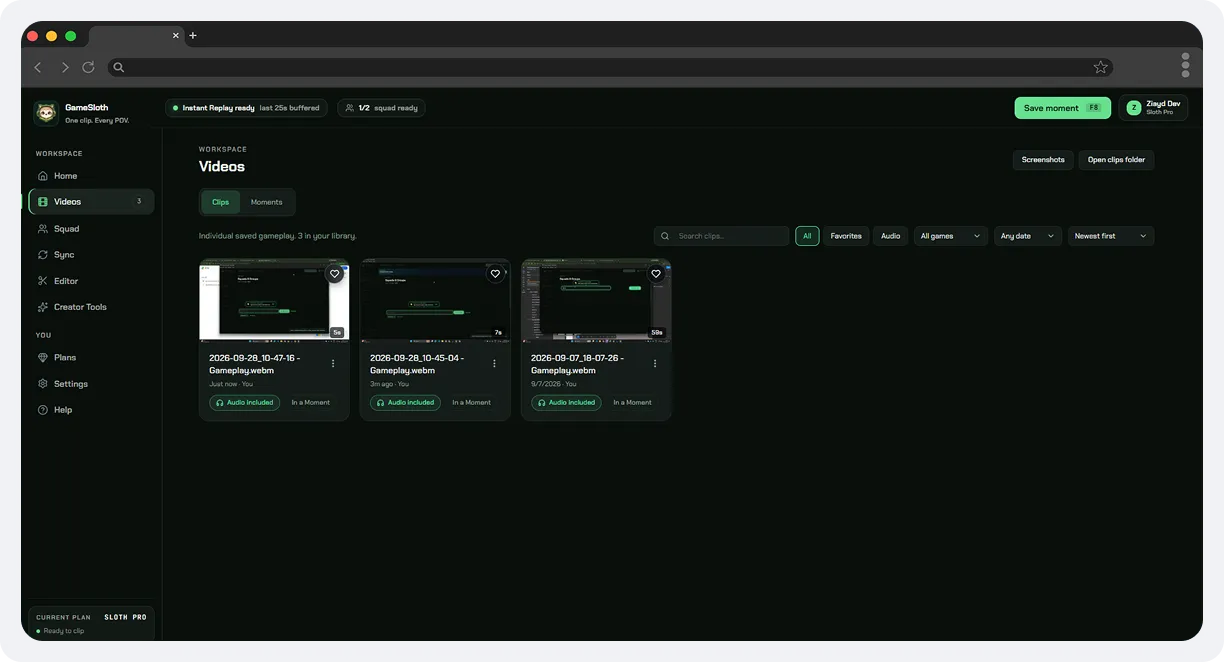
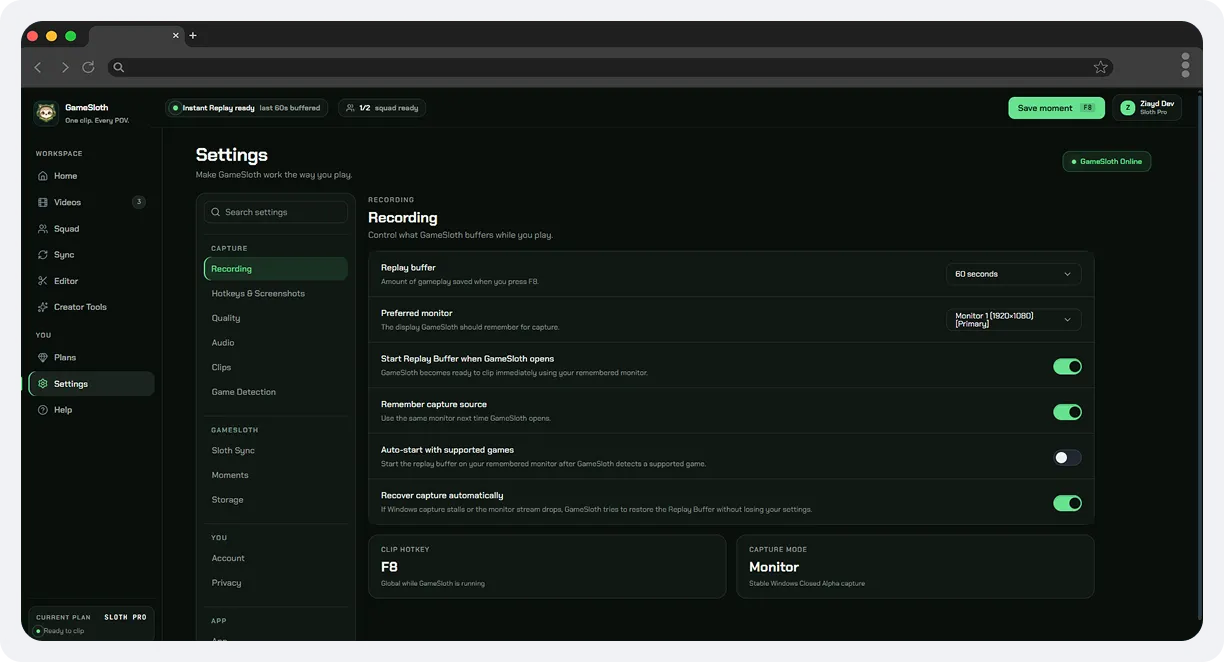
GameSloth Desktop is a high-performance desktop gaming clip recorder, rolling instant-replay capture, and multi-POV synchronization platform built for PC gamers, squads, and esports creators. It allows players to capture gameplay highlights with negligible performance overhead, coordinate multi-angle squad moments ("Shared Moments") where party members contribute synchronized perspectives of the same play, edit clips with local AI-powered speech recognition (Whisper), manage multi-track audio (gameplay, microphone, voice chat), and access creator tools (Sloth Director, cinematic cuts, aspect ratio conversion, batch POV export) with integrated Stripe subscription tiers and sponsor creatives.

Electron
Node.js
JavaScript
HTML5
CSS3
FFmpeg
Web Audio API
Transformers.js
Whisper
WebSocket
Stripe
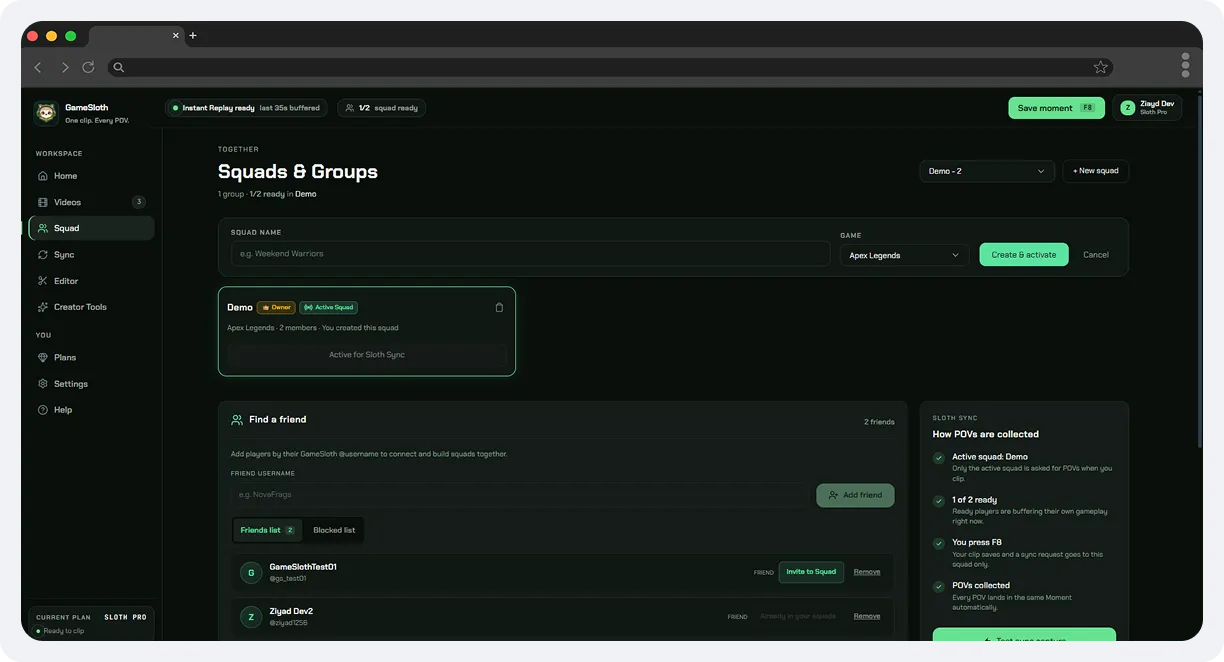
GameSloth Desktop screen 10
GameSloth Desktop screen 1
GameSloth Desktop screen 2

Challenges & solutions

The technical problems our team solved to ship a reliable, unified desktop experience.

Electron ASAR Binary Execution Failures with FFmpeg

When bundling the app with electron-builder, ffmpeg-static was packaged inside the read-only app.asar archive, causing child process spawns to fail on Windows (ENOENT / access denied). Configured asarUnpack and extraResources to extract ffmpeg.exe into an external resources directory and implemented a multi-path resolution fallback with a startup -version health check to guarantee binary readiness before processing video tasks.
Windows Atomic File Locks (EPERM) During Moment Saves

When saving large multi-POV Moments, Windows Antivirus and background indexers temporarily locked newly written video segments, causing folder rename operations to throw fatal EPERM errors. Developed an atomic publishing retry loop with exponential backoff and a secondary safe 'copy-then-clean' fallback strategy, preventing clip corruption or lost recording data.

Background Zombie Processes & Single-Instance Lockouts

Closing the main window left headless processes running in the background because the tray icon and window close handlers were desynchronized, blocking subsequent app launches due to the single-instance lock. Re-engineered the window lifecycle state machine to cleanly differentiate between 'minimize to tray' and explicit application exit, ensuring system tray instances are destroyed and single-instance locks are cleanly released on close.

Variable Frame Rate (VFR) Video/Audio Desynchronization

Ingesting WebM replay segments from different players with varying frame drops caused audio and video drift when concatenated with FFmpeg concat demuxers. Eliminated hard-coded manual timestamp directives, normalized segment timebases through FFmpeg filters, and introduced a fallback algorithm that recovers the newest valid segment if a join operation encounters corrupt timestamps.

Private On-Device AI Transcription Without Heavy Dependencies

Users needed automatic captions, but bundling full Python environments (PyTorch / Whisper) inflated installer size by gigabytes and external cloud speech APIs raised privacy concerns and recurring API costs. Integrated @huggingface/transformers (Transformers.js) and wavefile to execute an ONNX-quantized whisper-tiny.en model entirely in a local Node.js worker, downsampling audio buffers to 16kHz float32 arrays on the fly.

Key features

What users get in the finished, shipped product.

Rolling Replay Buffer & Instant Clip Capture :

  • Recording : Continuously maintains a rolling gameplay buffer in the background for instant clip capture.
  • Customization : Supports configurable replay durations and customizable global keybinds.
  • Performance : Provides low-overhead background recording designed to minimize gameplay performance impact.

Multi-POV Squad Moments :

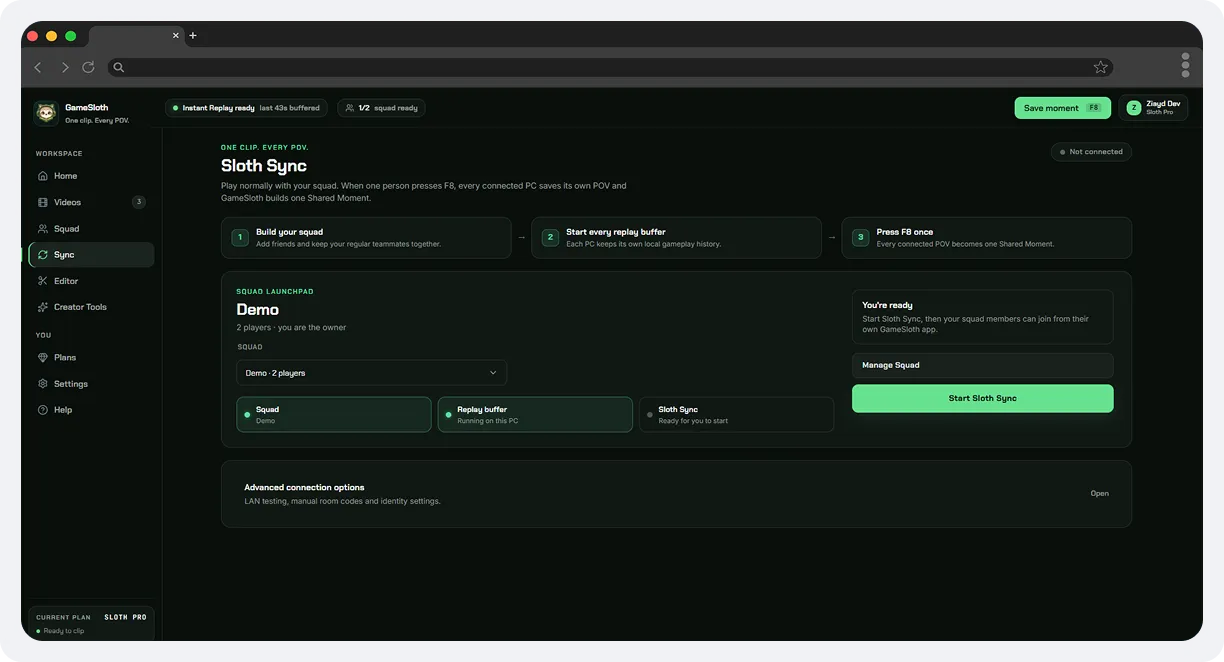
  • Connectivity : Links squad members through a real-time WebSocket relay server.
  • Synchronization : Aligns gameplay perspectives from multiple players using precise timing offsets.
  • Collaboration : Combines synchronized player perspectives into shared multi-angle gameplay moments.

Sloth Director & Cinematic Cuts :

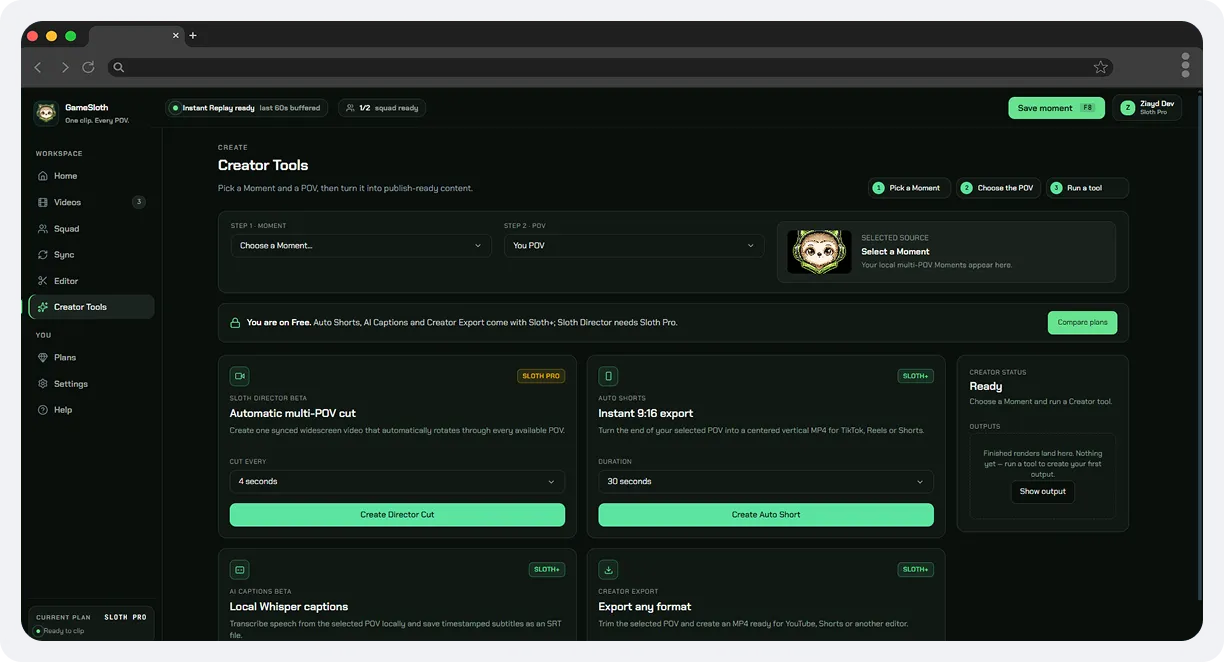
  • Editing : Enables smooth switching between different player POVs for cinematic gameplay sequences.
  • Montage : Creates dynamic cuts across synchronized squad perspectives.
  • Export : Supports batch exporting of individual POV tracks for flexible content production.

Multi-Track Audio & Noise Gate :

  • Separation : Records game audio, microphone input, and voice chat as independent audio tracks.
  • Control : Provides individual volume controls, mute keybinds, and audio management options.
  • Processing : Includes a configurable microphone noise gate for cleaner voice recordings.

On-Device AI Speech-to-Text :

  • Transcription : Uses local Whisper Tiny AI inference to convert voice communications into text.
  • Timing : Generates word-level timestamps for accurately synchronized subtitles.
  • Privacy : Processes speech locally on the user's device without third-party cloud transcription services.

Creator Studio & Vertical Video Conversion :

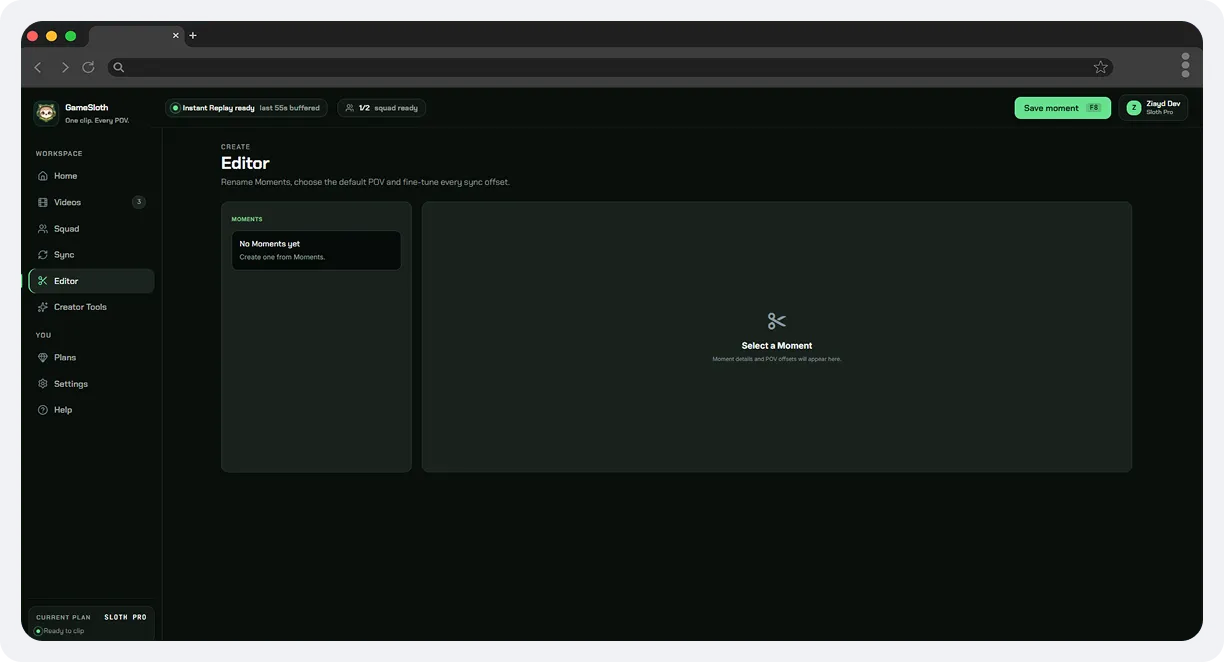
  • Editing : Provides timeline trimming, playback speed controls, digital zoom, and text overlays.
  • Formatting : Converts gameplay footage into 16:9, 9:16, and 1:1 aspect ratios.
  • Publishing : Optimizes exported content for platforms such as YouTube, TikTok, and Instagram Reels.

Lightweight In-Game Overlay HUD :

  • Monitoring : Displays recording status, active replay buffer information, and FPS metrics.
  • Synchronization : Shows real-time squad connection and synchronization states.
  • Integration : Runs as a lightweight overlay directly above fullscreen gameplay.

Tiered Host-Based Monetization :

  • Subscriptions : Provides Free, Sloth+, and Sloth Pro plans through Stripe Payments.
  • Collaboration : Allows guest squad contributors to participate without requiring paid subscriptions.
  • Advertising : Supports sponsor banners with a local house-ad fallback system.

Frictionless Background Auto-Updater :

  • Updates : Automatically checks generic CDN endpoints for new application releases.
  • Installation : Installs available updates seamlessly when the application is closed.
  • Experience : Keeps the desktop application updated with minimal user interaction.

Tech integrations

Third-party SDKs & libraries

7 core integrations powered

Electron SDK

Core system integration

electron-updater & electron-builder

Core system integration

FFmpeg

Core system integration

Hugging Face Transformers

Core system integration

WaveFile

Core system integration

WebSocket

Core system integration

Stripe SDK & Checkout

Core system integration

Have a similar idea? Let's build it together.

From concept to launch, we turn your vision into a world-class product.