

Node.js backend development uses the Node.js JavaScript runtime to build the APIs, business logic, and integrations behind a web or mobile product. It suits API-driven, integration-heavy, and real-time products well, but the architecture and delivery process matter more than the runtime.
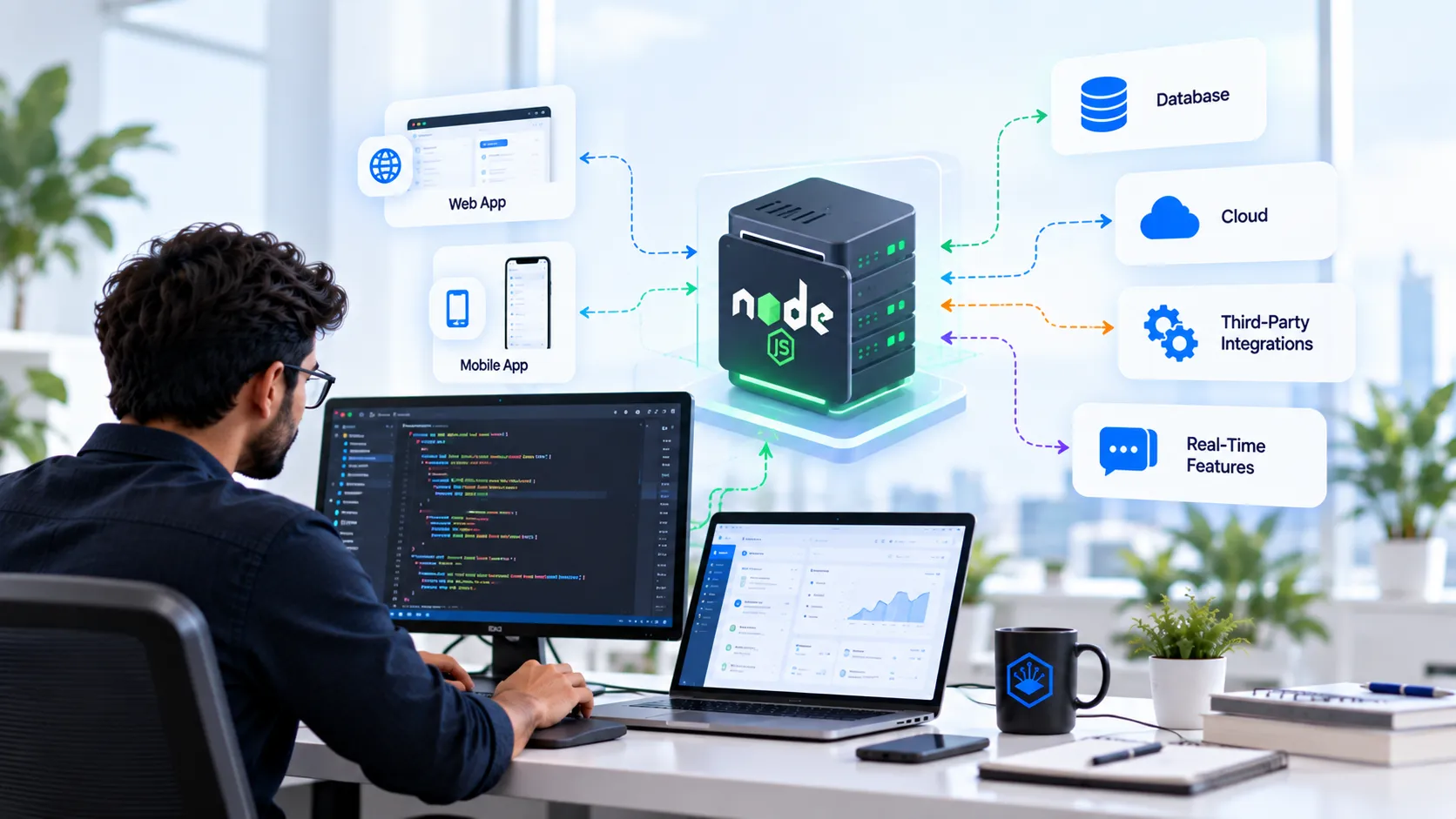
TL;DR: What Node.js Backend Development Means
→ Node.js = JavaScript on the server, so one language can cover frontend and backend.
→ Strong fit = APIs, SaaS platforms, mobile backends, marketplaces, and real-time features.
→ Weaker fit = CPU-heavy work such as video encoding or model training.
→ Architecture = start as a modular monolith, split into services only for a named reason.
→ Hire a company = when architecture, QA, deployment, or specialist skills are missing in-house.
Why Do Node.js Backend Projects Stall Before Launch?
Most Node.js backend projects stall because nobody scoped the backend work, not because of Node.js itself.
Picture a founder with approved designs, a launch date, and no written API contract. Would you bet the launch on that plan? Me neither. Here is why.
Screens are the visible part of a product. The backend decides whether those screens show real data.
Our team has shipped 100+ products, and I have worked on backend scopes for many of them. I have also signed off a scope document that skipped background jobs. Somebody always finds out in testing.
That is the whole gap.
What Is Node.js Backend Development?
Node.js backend development means building the server side of a product on Node.js, a runtime that runs JavaScript outside the browser. The backend receives requests, applies business rules, talks to databases, and returns answers.
Users never see it.
They notice when it breaks.
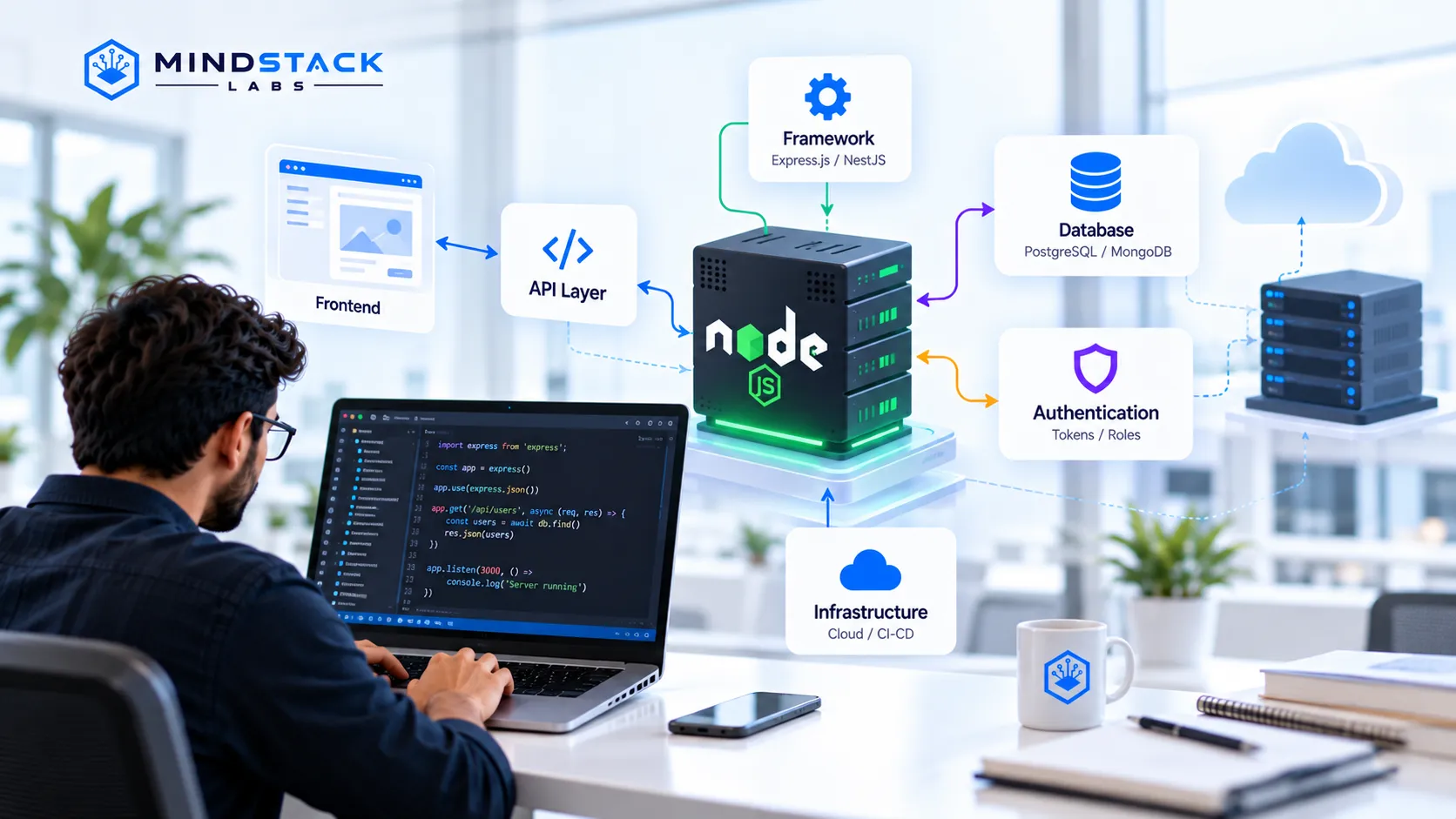
Node.js Is a Runtime, Not a Complete Backend
A runtime only executes code, and a working backend needs several other parts around it. Here is how I explain the stack to founders:
Layer | What it does | Common examples |
|---|---|---|
Runtime | Runs server-side JavaScript | Node.js |
Framework | Handles routing and middleware | Express.js, NestJS |
API layer | Connects apps to backend logic | REST API, GraphQL API |
Database | Stores and retrieves data | PostgreSQL, MySQL, MongoDB |
Authentication | Controls who can do what | Tokens, sessions, roles |
Infrastructure | Hosts and monitors the system | Cloud servers, containers, CI/CD |
Middleware is code that runs between a request and its response, such as a login check.
Why Businesses Choose Node.js on the Backend
Businesses mostly choose Node.js for delivery speed and team flexibility, not for benchmark bragging. These are the reasons I hear most in scoping calls:
→ Shared JavaScript = less context switching between frontend and backend developers.
→ Non-blocking I/O = one server keeps working while it waits on a database or an API.
→ Large package library = faster integrations, though dependencies need governance.
→ Event-driven design = a natural fit for live updates and notifications.
How Does Node.js Backend Development Work?
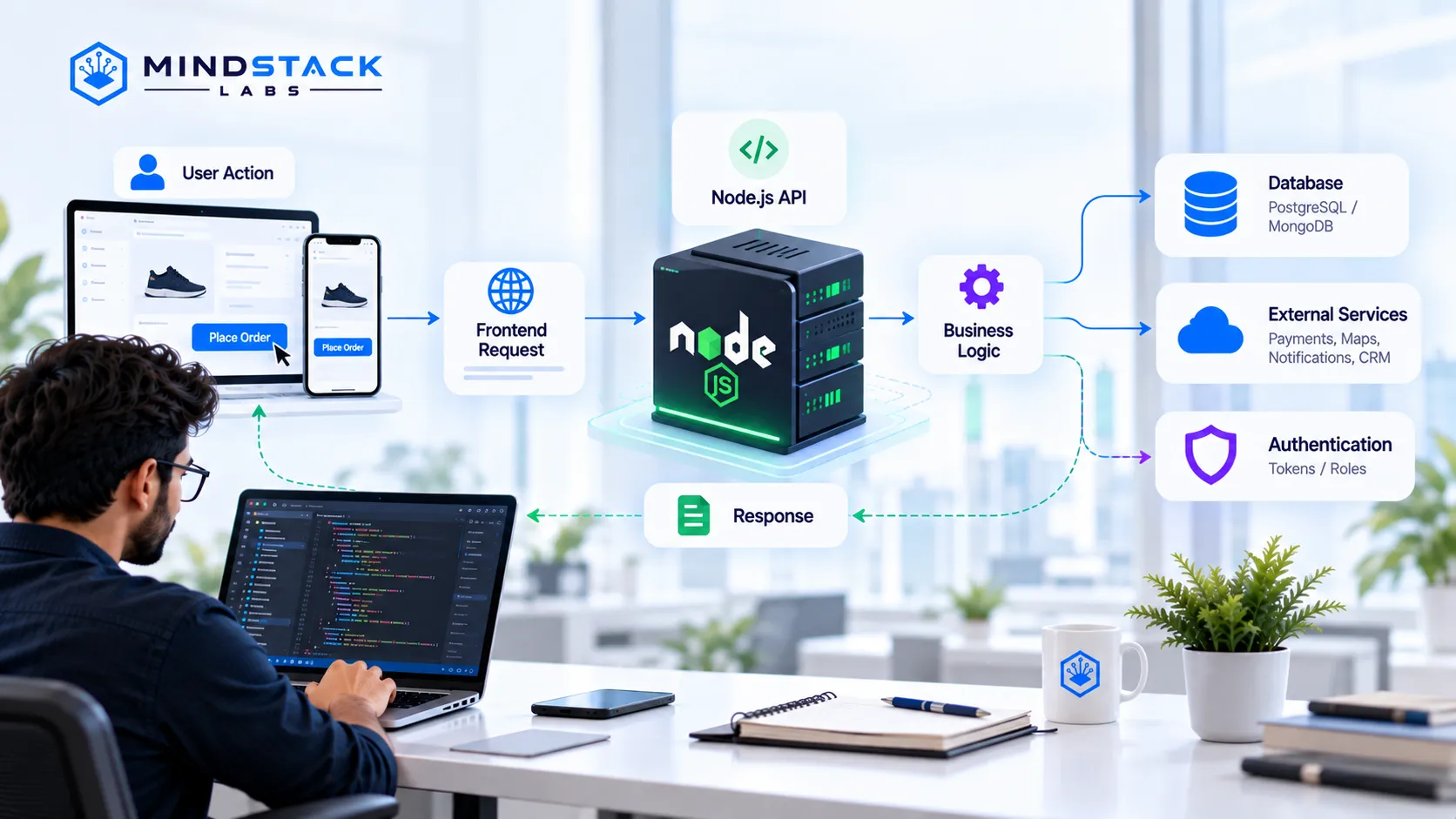
A Node.js backend turns a user action into a response through a short, repeatable chain.
User action → frontend request → Node.js API → business logic → database or external service → response
Take a customer tapping Place Order. The app sends a request. The API checks the cart, charges the card through a payment service, saves the order, and returns a confirmation.
Node.js, Express.js, and NestJS
Express.js is the minimal option and NestJS is the structured one. Express handles routing and middleware with little setup. NestJS adds modules and conventions, which helps larger teams keep code consistent.
Neither is best on its own. Team size and product stage decide.
How Node.js Connects With Web and Mobile Apps
Every frontend talks to a Node.js backend through the same thing: an API. React, Next.js, and Angular web apps call it. So do mobile apps built with Flutter or React Native. That shared contract lets you plan Node.js web development and Node.js app development together.
APIs and Business Logic
The API is the contract between your frontend and your backend. Two styles dominate:
→ REST API = fixed URLs per resource, simple and widely supported.
→ GraphQL API = the client asks for exact fields, useful when many screens need different data.
Validation, error handling, and business rules sit behind both.
Databases, Integrations, and Authentication
Most backend risk sits in data and access, not in the runtime.
Relational databases such as PostgreSQL suit orders, invoices, and other structured records.
NoSQL databases such as MongoDB suit flexible or document-shaped data.
Integrations cover payments, maps, notifications, and CRMs.
Authentication proves who a user is. Authorization decides what that user can do.
Login is where I see teams lose the most time. Our guides on authentication vs authorization, JWT authentication mistakes, and API security for startups go deeper.
Pro tip: Ask for a written API contract before anyone builds a screen.
What Can You Build With Node.js Backend Development?
Six product types fit Node.js well, and the fit depends on your workload, not on the product label. Here is what I am evaluating on:
Concurrent users and requests
Number of external integrations
Need for live updates
Share of CPU-heavy work
Existing team skills
Every item below follows the same shape: description, capabilities, cost driver, best for.
SaaS Platforms and Business Applications
Node.js runs the multi-tenant APIs and admin logic behind a SaaS product, where a customer admin needs different permissions than an end user.
Role-based access and account management
Subscription and billing integrations
Reporting endpoints for dashboards
Main cost driver: permission rules and integrations. Best for: B2B products that ship new features every sprint.
Mobile App Backends
A mobile app backend handles login, data sync, and push notifications for iOS and Android clients.
Token-based authentication
Push notification triggers
File and image handling
Main cost driver: how many app versions the API must support. Best for: startups launching iOS and Android together.
Real-Time Applications
Real-time applications push updates to users without a page refresh, usually over WebSockets, a persistent two-way connection between client and server.
Live chat and notifications
Status tracking
Presence indicators
Main cost driver: connection volume and message design. Best for: chat, live tracking, and collaborative tools.
Ecommerce and Marketplace Platforms
A marketplace needs one backend serving buyers, sellers, and admins at once. Our portfolio includes a food ordering platform that sits in this category.
Catalog, cart, and order flow
Payment and shipping integrations
Separate dashboards for each user role
Main cost driver: payment and inventory integrations. Best for: platforms with several user types.
Logistics and Transport Systems
Logistics backends keep drivers, dispatchers, and customers looking at the same status. When a dispatcher reassigns a driver, three screens must update at once. Our portfolio includes transport management software in this category.
Live status updates
Maps and location service calls
Driver and customer notifications
Main cost driver: maps and location services. Best for: dispatch, fleet, and delivery tools.
AI-Enabled Applications and Automation
Node.js works well as the coordination layer for AI features, calling model APIs and moving results through your product.
Calls to model APIs
Queues for long-running AI jobs
Triggers for workflow automation
Main cost driver: model usage volume and job design. Best for: products adding AI features to an existing workflow.
When Is Node.js a Good Fit, and When Is It Not?
Node.js is a strong fit when the workload waits on I/O, and a weaker fit when it burns CPU. I/O means input and output, such as database and network calls.
Situation | Node.js fit | Why |
|---|---|---|
Many concurrent API requests | Strong | Non-blocking I/O handles waiting well |
Real-time updates | Strong | Event-driven design and WebSockets |
Many third-party integrations | Strong | Mature package library |
JavaScript across the stack | Strong | Shared language and tooling |
Video encoding or heavy number crunching | Weaker | Blocks the main thread without workers |
Machine learning model work | Weaker | Python tooling is stronger, so run it as a separate service |
Team with no Node.js experience | Risk | Code quality depends on the people |
Wait, You Might Be Thinking: Is Node.js Suitable for Serious Backend Applications?
Yes, when the architecture is sound. Node.js runs JavaScript on one main thread, so a slow CPU-bound task can stall other requests. Good teams push that work to queues and worker processes. In my experience, testing and monitoring decide production quality more than the runtime does.
CPU-heavy work is a real limit. Not a dealbreaker.
Node.js Backend Architecture: What Should You Plan?
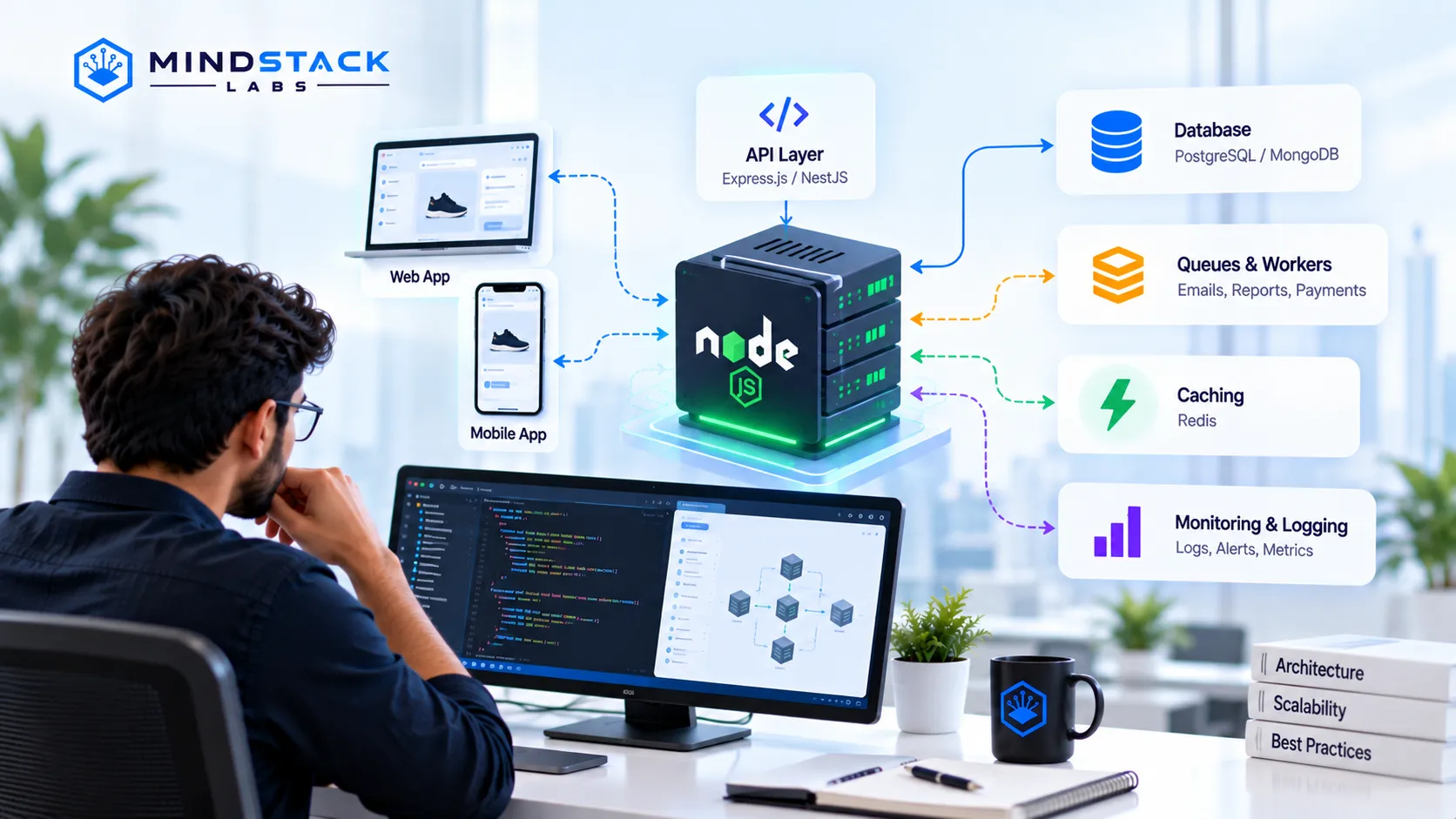
Architecture should match product stage, not ambition.
Start With a Modular Monolith for an MVP
A modular monolith is one deployable application split into clear internal modules. In the builds I have worked on, it tends to be the fastest route to first users. It also keeps debugging in one place.
Split Into Services Only for a Named Reason
Microservices add network calls, deployment pipelines, and debugging surface, so split only when a specific reason forces it.
→ One component needs to scale on its own = split it out.
→ Separate teams own separate domains = split by domain.
→ Nobody can name the reason = stay monolithic.
Plan Background Jobs, Caching, and Monitoring
Slow work belongs in queues and workers, not in the request a user is waiting on.
→ Queues and workers = emails, imports, reports, and payment retries run off the main path.
→ Caching = repeated reads skip the database.
→ Logging and monitoring = you see errors before customers report them.
Logging is boring. Outages are worse.
Skipping monitoring saves an afternoon and costs a weekend. You can skip load testing too, since launch day runs it for free.
Which Node.js Version Should a New Backend Use?
A new backend should start on the current Active LTS line, which is Node.js 24. LTS means long-term support, a release line that receives security fixes for years.
Node.js 20 update in April 2026: that line reached end of life on April 30, 2026 and no longer gets security patches.
Node.js 24 has been Active LTS since October 2025, with support running to April 2028.
Node.js 26 enters LTS in October 2026 under the official release schedule.
Pro tip: Ask every vendor which Node.js version they pin and how often they update dependencies.
Should You Use TypeScript With Node.js?
Yes for most business backends, because TypeScript catches many mistakes before the code runs. TypeScript adds type checking to JavaScript. In my experience it pays off most on codebases with several developers and long lifespans. A one-week prototype can skip it.
What Does a Node.js Backend Development Company Deliver?
A Node.js backend development company should deliver a working, tested, documented backend, not only code. Here is what you should receive at each stage:
Stage | What you should receive |
|---|---|
Discovery and MVP scope | Written scope, priority list, known risks |
Technical architecture | Architecture diagram, stack decision, data model |
API and database development | Documented endpoints, database schema |
Integration and testing | Automated tests, integration checks, QA report |
Deployment and DevOps | Running environment, CI/CD pipeline, monitoring |
Post-launch maintenance | Bug fixes, dependency updates, performance tuning |
We run this sequence in our Node.js backend development services, with QA and deployment handled in-house.
Node.js Backend Development Company vs In-House Team
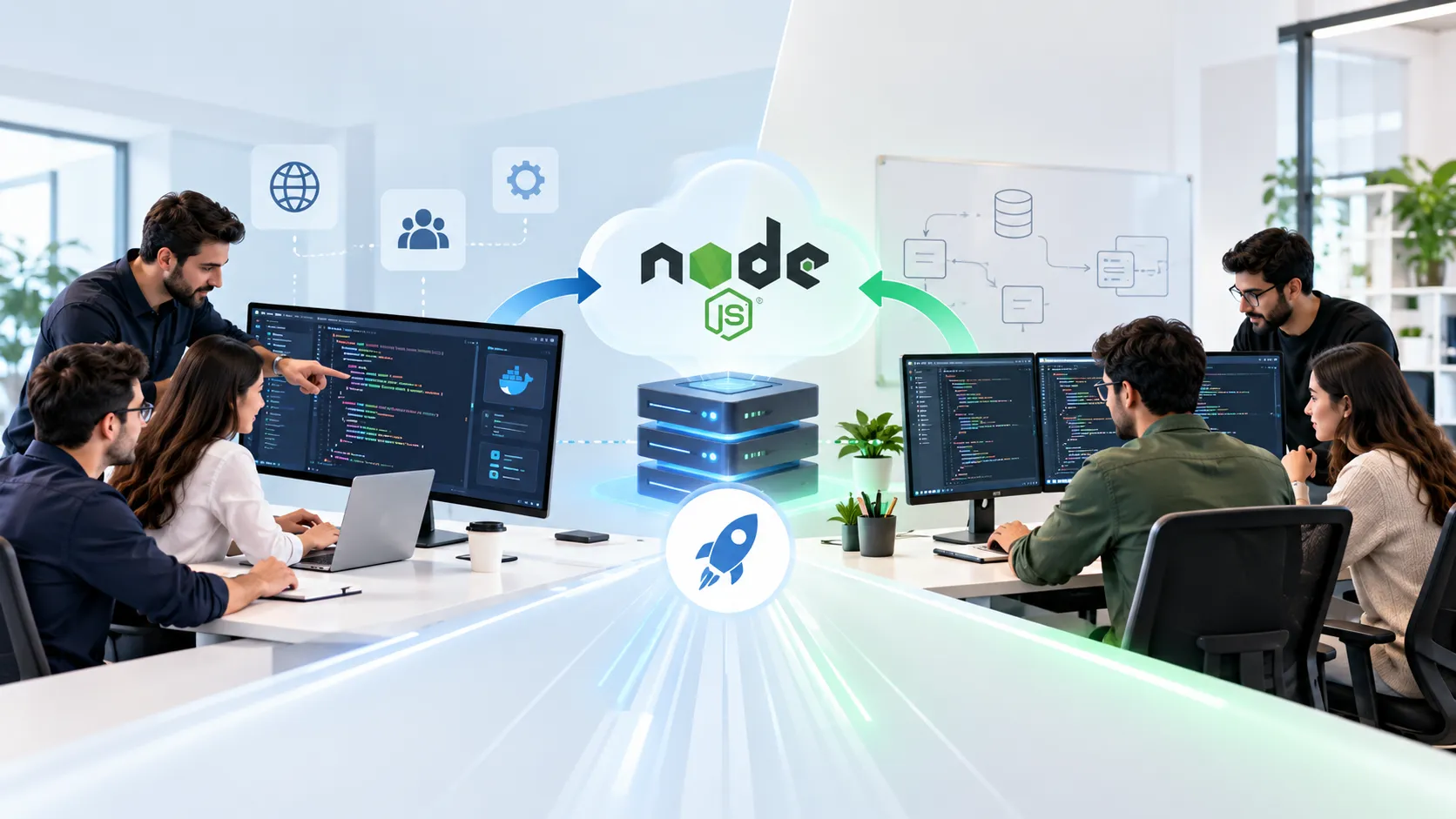
An external company ships faster when your team lacks Node.js depth, and an in-house team wins when the backend is your core long-term asset. I compared both models in more depth in Node.js App Development Company vs In-House Team: Which One Ships Faster?
When an External Company Is Faster
You have no senior backend engineer on staff.
You have a fixed launch date.
You need QA and DevOps alongside the code.
When an In-House Team Is Better
The backend is your core product and changes daily.
You already employ senior Node.js engineers.
Your budget and timeline allow a long hiring cycle.
When a Hybrid Model Makes Sense
A hybrid model works when a company builds the MVP and hands over documented code on a planned date. → Documented handover = less vendor lock-in.
Which Option Fits Your Situation?
Pick by your main constraint. One line per situation:
If you need an MVP live before a fixed date, go with an external Node.js app development company.
If backend logic is your core IP and you have senior engineers, go with an in-house team.
If you have a strong product team but no backend lead, go with a hybrid model.
If your workload is CPU-heavy, go with a specialist and check whether Node.js is the right runtime.
If you need one small integration, go with a single contractor, not a company.
Why Work With Mind Stack Labs for Node.js Backend Development?

Mind Stack Labs is a full-cycle team, so design, development, QA, and deployment happen in-house. That removes handoffs between vendors.
Full-cycle delivery: backend, API work, QA, and deployment run inside one team.
Shipped products: our team has shipped 100+ products. Browse the Mind Stack Labs portfolio and read our case studies.
Discovery first: we agree scope and the API contract before endpoints get built.
AI and automation capability: useful when your backend needs AI features or workflow automation.
See all Mind Stack Labs services for the wider stack.
Bring these to a scoping call:
Your product goal and user types
The third-party services you plan to connect
Your deadline and budget range
Any existing code or designs
If Node.js is not the right fit for your workload, a scoping call is the cheapest place to find out.
How to Choose the Best Node.js Backend Development Company
The best Node.js backend development company for you is the one whose process you can inspect before you sign. Whether you shortlist a Node.js backend development agency or a freelancer, run the same five checks:
Criterion | What to ask | Good sign |
|---|---|---|
Product experience | Which two shipped products match my workload? | Named, live products |
Architecture process | How do you choose monolith or services? | Reasoned trade-offs, not a default |
Testing and support | What is your QA and release process? | Automated tests, CI/CD, monitoring |
Code ownership | Who owns the code and what documentation ships? | Repository access, written handover |
Communication | Who do I talk to each week? | Named lead, regular demos |
Red flags I would walk away from:
A fixed quote before any discovery work
No written handover plan
No live product to show
No reasoning behind the monolith or services choice
Frequently Asked Questions
Is Node.js Good for Scalable Applications?
Yes, for I/O-heavy workloads such as APIs and real-time features. Scale comes from architecture: caching, queues, and horizontal scaling matter more than the runtime. CPU-heavy tasks need separate workers.
Node.js vs Python for Backend: Which Is Better?
Neither wins outright. Node.js suits API-driven and real-time products, and Python suits data science and machine learning. Many teams run the main API on Node.js and the AI services on Python.
Node.js App Development Company vs In-House Team: Which Is Better?
A company is usually faster for an MVP with a fixed date. An in-house team is better when the backend is your core asset and changes daily. A hybrid handover often works best.
How Much Does Node.js Backend Development Cost?
Cost depends on scope, integrations, and team model, so no fair number exists without a brief. The main drivers are integrations, permission rules, real-time needs, and QA depth. A scoping call turns those into an estimate.
What Can You Build With Node.js Backend Development?
APIs, SaaS platforms, mobile app backends, marketplaces, logistics tools, real-time apps, and AI-enabled workflows. It fits products where requests wait on databases and external services more than on computation.
Final Verdict: Is Node.js Right for Your Backend?
Start with Node.js on a modular monolith with TypeScript if your product is API-driven, integration-heavy, or real-time. Use a different runtime for the CPU-heavy parts. Hire a Node.js backend development company if architecture, QA, or deployment skills are missing on your team.
Ready to scope it? Our Node.js backend development services page shows how we work, and the team is one message away.