

Choose an ecommerce development company based on the architecture your catalogue and operations actually need.
Shopify is usually right for standard commerce and fast launches, WooCommerce works well for flexible content-led stores, headless suits high-control experiences, and custom development fits workflows that standard platforms cannot handle.
I have seen ecommerce projects become complicated for a predictable reason: the team chooses a platform before defining product data, integrations, and checkout rules.
TL;DR
Shopify is usually the fastest path for standard D2C commerce.
WooCommerce is a strong choice for businesses that need WordPress content control and custom ecommerce features.
Headless commerce earns its cost when frontend freedom, multi-channel delivery, or content-heavy experiences matter.
Custom ecommerce suits B2B portals, marketplaces, configurators, and deep ERP or operational integrations.
The best ecommerce development company proves relevant platform, integration, QA, and support experience before it recommends a stack.
What I Evaluate an Ecommerce Development Company On
A good ecommerce development company should recommend the right architecture before it recommends its preferred service. I evaluate vendors on five practical criteria.
Criteria | What to check | Why it matters |
|---|---|---|
Platform fit | Shopify, WooCommerce, headless, or custom delivery evidence | A good Shopify team may not be the right team for custom B2B commerce |
Catalogue handling | Products, variants, attributes, filtering, search, bulk updates | Catalogue complexity creates more delivery work than many buyers expect |
Integration capability | ERP, CRM, PIM, inventory, payments, shipping, tax | The visible store depends on systems customers never see |
Quality process | QA, security, checkout testing, performance testing | Broken checkout or stock sync costs revenue quickly |
Post-launch ownership | Updates, monitoring, support, optimization | Ecommerce software needs maintenance after launch |
A polished homepage is not enough.
The vendor should be able to explain how your product, order, customer, and inventory data move through the business.
Shopify vs Headless vs Custom vs WooCommerce
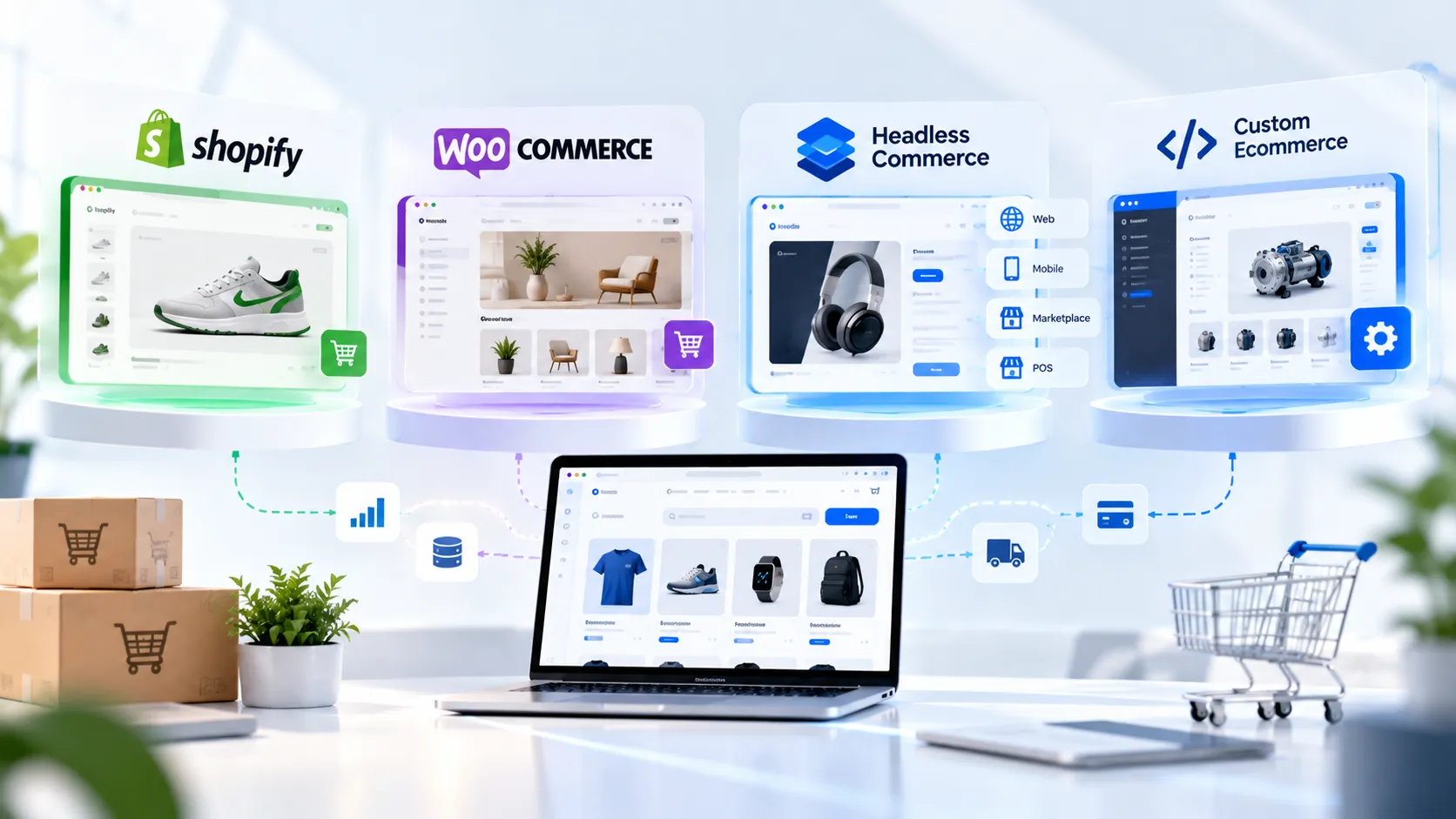
Shopify is best for simpler and faster launches, WooCommerce is best for flexible content-led stores, headless is best for controlled frontend freedom, and custom is best for unique business rules.
Factor | Shopify | WooCommerce | Headless commerce | Custom ecommerce |
|---|---|---|---|---|
Best for | Standard D2C stores | Flexible, content-led stores | Multi-channel and custom frontend experiences | Unique business models and workflows |
Catalogue fit | Small to large, if operations are standard | Small to large, with quality hosting and architecture | Medium to very large, especially complex product ecosystems | Any size, where requirements are non-standard |
Launch speed | Usually fastest | Moderate | Moderate to long | Usually longest |
Frontend flexibility | Moderate | High | High | High |
Integration flexibility | Strong through apps and APIs | Strong through plugins and APIs | High | High |
Ongoing technical ownership | Low to moderate | Moderate | High | High |
Main risk | Too many apps or platform limits | Plugin bloat and weak maintenance | Cost and stack complexity | Overbuilding and long-term maintenance |
Best vendor type | Shopify specialist | WooCommerce development company | Headless commerce specialist | Custom software and integration team |
Catalogue size matters, but it is not the final verdict.
A 200-product B2B store with contract pricing and ERP rules can be harder than a 10,000-product consumer catalogue with clean product data.
Shopify Development: Best for Fast, Standard Ecommerce

Shopify is usually the right choice when you need a proven ecommerce platform, standard checkout, and a shorter path to launch. It reduces infrastructure ownership and gives teams mature commerce features from day one.
Shopify is a good fit when
You run a D2C brand with standard product, cart, and checkout flows.
You need to launch quickly.
You do not want to manage server infrastructure.
Your team can use a reliable app ecosystem for standard requirements.
You sell physical products, digital products, or straightforward subscriptions.
Your catalogue has manageable variants and pricing rules.
Shopify becomes limiting when
You need unusual B2B account pricing.
Buyers require quotes, purchase orders, or approval workflows.
You need marketplace or multi-vendor functionality.
Your product requires complex configuration.
You rely on proprietary fulfilment or inventory rules.
You need a highly custom shopping experience across multiple channels.
Example: A beauty brand with 300 SKUs, standard delivery, card payments, and subscriptions can often launch effectively on Shopify. Speed and predictable operations usually matter more than total backend freedom.
Pro tip: Ask a Shopify vendor to separate every feature into native Shopify functionality, third-party app functionality, custom code, or external integration. That prevents “included” features from becoming surprise costs later.
WooCommerce Development: Best for Flexible, Content-Led Stores
WooCommerce is a strong option when you need ecommerce flexibility with WordPress content control, custom themes, plugins, payment integrations, and ownership of the store experience. It is especially useful when SEO content, category pages, buying guides, and conversion landing pages matter alongside product pages.
WooCommerce is a good fit when
Your website already runs on WordPress.
Content marketing and SEO are central to customer acquisition.
You need tailored product pages, themes, or store workflows.
Your team needs custom plugins or integration logic.
You want more direct control over your ecommerce stack.
You need specific payment gateway integrations.
You want to connect ecommerce data to dashboards or internal workflows.
WooCommerce Needs Disciplined Delivery
WooCommerce scales well when hosting, plugins, security, and maintenance are planned from day one. Its flexibility is useful, but unmanaged plugins and unclear code ownership can turn a simple store into a difficult system to maintain.
That is the difference between flexibility and chaos.
Area | What to manage |
|---|---|
Hosting | Choose infrastructure that matches traffic, catalogue size, and checkout demand |
Plugins | Use only necessary plugins and assign ownership for updates |
Performance | Set up caching, image optimization, CDN, and database cleanup |
Security | Maintain backups, access controls, updates, and payment protections |
QA | Test product pages, cart, checkout, payments, inventory, and mobile journeys |
Support | Define who handles bugs, plugin updates, and improvements after launch |
Mind Stack Labs is a strong fit for businesses that need a custom WooCommerce store rather than a template-only implementation.
Its services include custom themes and plugins, payment gateway integrations, product and inventory functionality, REST APIs, performance optimization, security hardening, QA, and ongoing maintenance.
Pro tip: Before selecting WooCommerce, confirm who owns plugin updates, payment changes, backups, security monitoring, and performance testing after launch.
Headless Commerce: Best for Flexibility That Has a Purpose
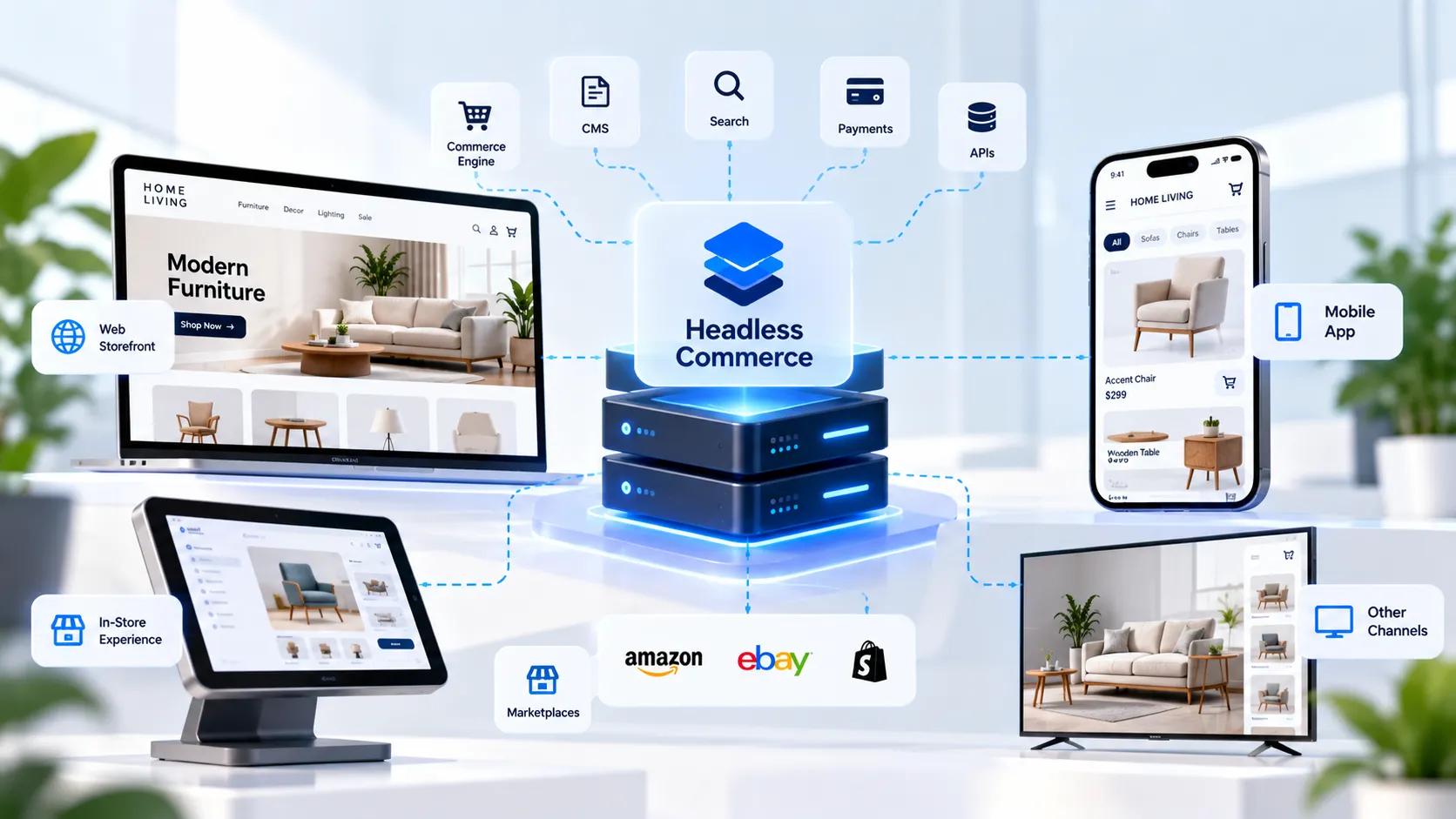
Headless commerce makes sense when the frontend experience, content layer, or channel strategy needs more control than a conventional ecommerce storefront provides. It separates the customer-facing interface from the commerce engine, allowing the same product and checkout data to support different touchpoints.
Headless commerce fits when
You operate multiple brand or regional storefronts.
You need web, mobile, and other channels to share one commerce backend.
Content is central to the purchase journey.
You require advanced personalization or custom discovery experiences.
You need custom frontend performance strategies.
You have internal engineering support or a long-term development partner.
You can justify additional maintenance with a business case.
Headless commerce creates more responsibility
The architecture includes more systems.
Frontend, CMS, search, payments, and commerce APIs must work together.
QA requires more integration testing.
Monitoring and incident ownership need to be clear.
Development and maintenance budgets tend to increase.
Example: A furniture retailer may need editorial product pages, store-level stock visibility, room-planning content, regional catalogues, and a companion app. A headless setup can serve these channels, but it only makes sense if those experiences directly support the growth plan.
Headless is not automatically better.
It is only better when the business needs what it adds.
Custom Ecommerce Development: Best for Non-Standard Business Models
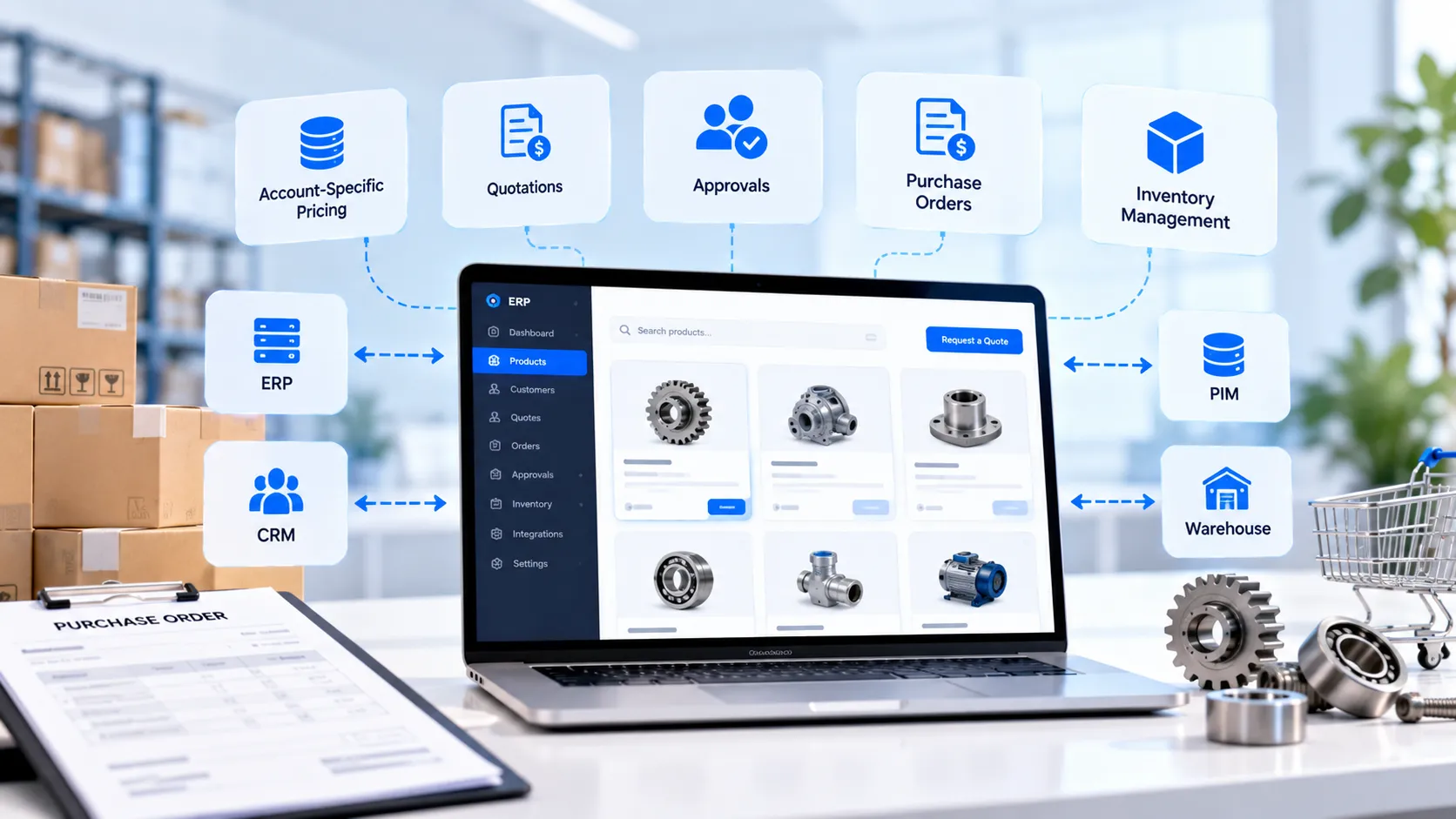
Custom ecommerce development is the right path when your commercial process itself does not fit platform configuration, plugins, or standard integrations. It gives you control over workflows, but it also creates ongoing technical ownership.
Custom ecommerce fits when
You run a B2B portal with account-specific pricing.
Buyers need quotations, credit terms, purchase orders, or approvals.
You operate a marketplace or multi-vendor system.
Products require rules-based configuration.
You need complex user roles and permissions.
Your inventory or fulfilment workflow is proprietary.
Your store must work tightly with ERP, PIM, CRM, or warehouse systems.
Custom ecommerce is usually wrong when
You need a standard store quickly.
You have not validated customer demand.
A reliable platform already supports the key requirement.
Your team cannot maintain a software product after launch.
Your requirements are still unclear.
Example: An industrial supplier may sell thousands of parts, but the real challenge is customer-specific pricing, approval chains, minimum order rules, and purchase-order processing. The right answer may be a custom B2B portal or composable architecture, not a standard storefront.
A custom build is not automatically more advanced.
Sometimes it is just an expensive way to rebuild existing features.
Catalogue Size: Use It as a Filter, Not a Verdict
Catalogue size helps scope an ecommerce platform, but product complexity, integration requirements, and operational workflows determine the right build. I use product count to guide discovery questions, not to make the full architecture decision.
Under 100 products: prioritize speed and simplicity
A small catalogue often works well on Shopify or WooCommerce. Prioritize clean product pages, mobile checkout, payment setup, delivery rules, and conversion-focused content.
Check:
Product variants.
Bundles or subscriptions.
Delivery and tax rules.
Content needs.
Inventory source.
Future expansion plans.
100 to 1,000 products: product data becomes important
At this stage, variants, filters, search, category architecture, product relationships, and inventory synchronization matter more. Shopify and WooCommerce can still work well, but information architecture needs proper planning.
→ Better product data = better navigation
→ Better navigation = faster product discovery
→ Faster discovery = fewer abandoned sessions
1,000 to 10,000 products: treat data as infrastructure
A larger catalogue is usually a product-data and integration project before it is a design project. Buyers should assess whether they need a PIM, ERP integration, advanced search, bulk product updates, multi-warehouse inventory, or regional pricing.
Example: An auto-parts seller with 7,000 SKUs might not need headless commerce. It may need fitment filters, accurate stock sync, better search, and a reliable data import process.
Over 10,000 products: assess the operating model
Large catalogues can run on Shopify Plus, WooCommerce, headless, or custom systems. The right choice depends on data quality, integration depth, regional stores, pricing rules, search needs, and internal technical capability.
The question is not “How many SKUs?”
The question is “How complex is the system behind each SKU?”
Which Ecommerce Company Fits Your Project?
The best ecommerce development company is the one whose strongest capability matches your actual platform and operating requirements. I would not treat this as a universal ranking, because every category demands different delivery expertise.
Company or vendor type | Best fit | Key capabilities to verify | Practical note |
|---|---|---|---|
Shopify specialist | Standard Shopify or Shopify Plus stores | Theme work, migrations, app evaluation, custom apps, API integrations | Best when Shopify is already the chosen platform |
Headless commerce specialist | Content-heavy, multi-brand, or omnichannel experiences | API architecture, CMS integration, custom frontend, search, deployment | Best when the added flexibility creates a clear commercial advantage |
Enterprise custom ecommerce team | B2B, marketplace, ERP-heavy, or proprietary workflows | Discovery, backend engineering, ERP/PIM/WMS integration, security, documentation | Best for businesses whose operations cannot fit standard commerce rules |
Mind Stack Labs | WordPress and WooCommerce ecommerce builds | Custom themes, plugins, payments, catalogue setup, performance, security, maintenance | Best for businesses that need a flexible WooCommerce store plus custom functionality |
Ecommerce MVP team | New ecommerce products and fast validation | Lean delivery, checkout setup, analytics, roadmap planning | Best when you need proof of demand before a larger platform investment |
Mind Stack Labs: WordPress and WooCommerce Ecommerce Development
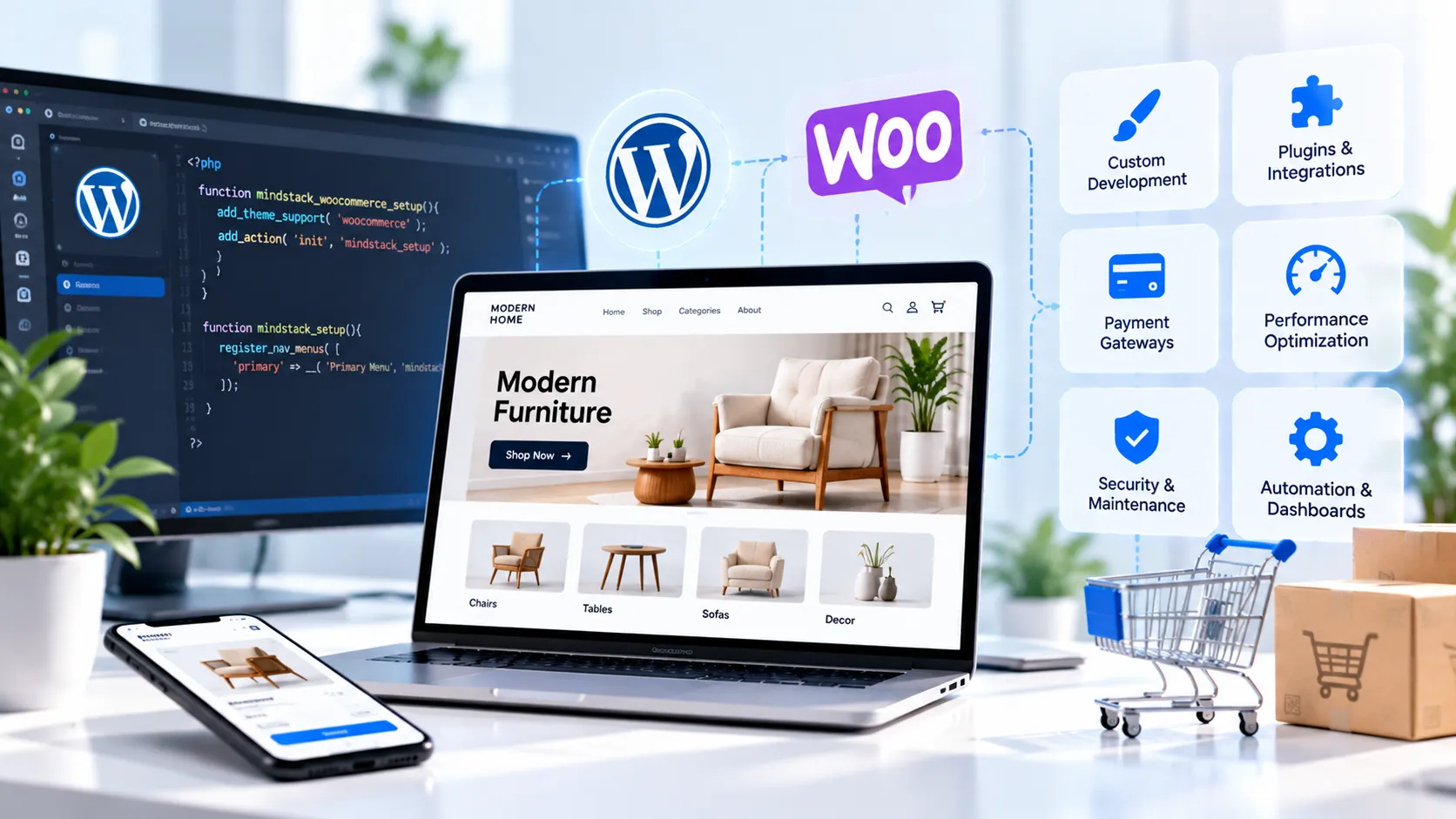
Mind Stack Labs belongs in this shortlist as a prominent WordPress and WooCommerce development company, not as an unsupported universal winner across Shopify, headless, and custom ecommerce. That positioning is more credible and more useful to buyers.
Mind Stack Labs capability | What it means for an ecommerce buyer |
|---|---|
Custom WooCommerce store development | A store can be designed around your catalogue, brand, checkout needs, and workflows |
Custom theme development | Your customer experience does not need to depend on a generic ecommerce template |
Plugin development | Business-specific features can be developed where standard plugins do not fit |
Payment gateway integration | The team lists Stripe, PayPal, Razorpay, and other payment providers |
Product catalogue and inventory functionality | Relevant for businesses that need structured products and stock handling |
REST API and integration work | Useful when ecommerce must connect with other systems |
Performance optimization | Covers image, caching, database, and plugin-level performance work |
Security hardening and maintenance | Supports safer, better-maintained WordPress and WooCommerce operations |
Workflow automation and dashboards | Useful when store operations need internal tools, CRM workflows, or reporting |
Mind Stack Labs publicly states that it has delivered 250+ digital solutions, operates with 50+ team members, and works with 200 clients worldwide.
Its broader capability includes AI automation, CRM systems, business dashboards, internal tools, and workflow automation.
You can review the company’s broader services, portfolio, and case studies before starting a vendor shortlist.
What to Ask Before You Hire an Ecommerce Development Company
The right vendor will answer architecture and integration questions clearly before discussing visual design. Use the questions below to separate implementation partners from generic website agencies.
Ask for platform-specific proof
Can you show a Shopify, WooCommerce, headless, or custom project similar to ours?
What was the catalogue structure?
Which integrations did you build?
Did you migrate products, customers, orders, or SEO data?
What custom workflows did you implement?
Who handled support after launch?
Validate integrations early
The storefront is visible, but integrations determine whether the operation works.
Confirm experience with:
ERP systems.
CRM tools.
PIM systems.
Payment gateways.
Tax engines.
Shipping and fulfilment tools.
Warehouse systems.
Email and marketing platforms.
Customer support software.
Analytics and reporting dashboards.
Review their QA process
A credible ecommerce QA plan should include:
Product search and filtering.
Cart and checkout behavior.
Payment success and failure flows.
Promotions and discount rules.
Tax and shipping calculation.
Stock synchronization.
Mobile device testing.
Account access and permissions.
Performance testing.
Security controls.
For companies that also need internal business tooling, Mind Stack Labs’ internal tools services and workflow automation services are relevant extensions to a WooCommerce project.
Ecommerce Operations and Automation
Automation is most useful after the ecommerce foundation works, because automation cannot repair unclear product data or broken order rules. Once the catalogue, checkout, and system integrations are stable, automation can reduce repetitive internal work.
Mind Stack Labs positions AI workflows, CRM systems, dashboards, n8n, OpenAI APIs, WhatsApp automation, and internal tools as related service capabilities.[mindstacklabs]
Useful ecommerce automation examples
New order → validate data → alert the operations team.
Low stock → notify purchasing or warehouse staff.
New B2B inquiry → create CRM record → assign sales owner.
Customer query → retrieve order context → prepare a support response.
Product update → validate attributes → route data for approval.
Refund request → send order details to the right support workflow.
A simple rule for automation
Automate repeatable decisions, not unclear ones.
For example, “notify the buyer when stock drops below the agreed threshold” is ready for workflow automation. “Ask AI what we should reorder” is not ready until you define business rules, data quality, and accountability.
Frequently Asked Questions
Is Shopify or WooCommerce better for ecommerce?
Shopify is usually better for managed, standard ecommerce and quick launches. WooCommerce is often better when you need WordPress content flexibility, custom themes, plugins, integrations, and more ownership of the store experience.
Shopify vs headless commerce: which is better?
Shopify is simpler for standard stores and lower technical ownership. Headless is better when you need custom frontend experiences, multiple channels, or content-rich shopping journeys that justify a more complex stack.
Does a large catalogue require headless commerce?
No. A large catalogue needs reliable product data, search, filtering, stock synchronization, and integration design. Headless becomes useful when frontend flexibility and multi-channel delivery also matter.
What should I ask an ecommerce development company before hiring?
Ask for comparable platform work, integration examples, a proposed architecture, QA process, post-launch support terms, and clear ownership of custom code. Confirm product-data and checkout testing before signing.
Can Mind Stack Labs build a WooCommerce ecommerce store?
Yes. Mind Stack Labs offers WooCommerce store development, custom themes and plugins, payment gateway integration, product and inventory functionality, performance tuning, security hardening, and maintenance support.
My Recommendation
Start with Shopify if you need speed and standard ecommerce operations. Use WooCommerce if WordPress content, custom store features, payment integrations, performance control, and ongoing flexibility matter. Choose headless when your customer experience or channel strategy genuinely needs it. Build custom only when your business model cannot fit the available platforms.
If WooCommerce looks like the right fit, review Mind Stack Labs’ WordPress and WooCommerce services, browse its portfolio, and use the contact page to request a practical scoping discussion.